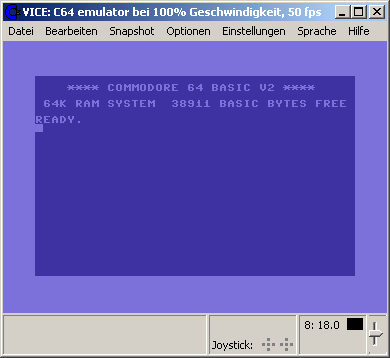
La version Windows de ce superbe émulateur Commodore C64, C128, VIC20, CBM-II, Plus4 et de tous les modèles « PET ».
Les changements:
This release completes the transition to the new GTK3 based GUI and fixes a
bunch of long standing issues (see below).

We are looking for someone who can provide stable automatic nightly builds - for
this will work best on a Windows machine, or perhaps a Fedora server. We tried
our best to come up with a solution for Debian, but that didn't work out as
intended. If you think you can help in this area - please get in touch.

We welcome to the team:

empathicqubit - who wrote the new remote monitor binary interface

Roberto Muscedere aka OldWoman37 - who contributed the new Lt.Kernal, CMD-HD and
RAMlink emulations (C64 only)

** general
----------

- Remove explicit support for OS/2, AmigaOS. These platforms should be able to
  use the SDL port.

- VICE used to store its ROMs, keymaps etc into $PREFIX/lib[64]/vice, which
  isn't correct. Now VICE installs its data into $PREFIX/share/vice, which
  makes a lot more sense. The documentation location has changed as well, now
  the documentation is installed in $PREFIX/share/doc/vice.
  On Windows, the binaries and DLLs have been moved into /bin, according to the
  requirements of GTK/GDK.

- Emulator timing is now directly driven by the host system audio device.
  If sound emulation is disabled, timing is synchronized with the host clock.
  As part of this change, the choice of sound synchronization method has been
  removed.

- Emulation now occurs in blocks of time directly related to the sound fragment
  size. Previously, emulation of an entire frame happened as quickly as possible
  and then the host system would sleep until it is time to emulate the next
  entire frame. This means that user input is now visible to the emulated
  software with lower latency than before.

- Audio latency is much lower on all platforms, and new lower latency defaults
  have been set. Users are encouraged to try using smaller fragment sizes and
  experiment with finding the lowest stable buffer size on their system.

- Support for changing the emulator timing to target generating a specific number
  of video frames per second. Useful for smooth PAL scrolling on a 50Hz CRT, and
  also fun for playing games at 60fps to match a typical LCD screen refresh.

- The default behaviour on CPU JAM was changed to "continue" to better match
  the behaviour of the real machines. Additionally a "CPU JAM" message will
  be displayed in the status bar.

- A "quit emulator" option was added to the CPU JAM dialog

- The CPU JAM dialog now shows the number of the device whose CPU has crashed.

- Proper support for dual drives has been added

- Relative file support on the filesystem device

- Autostarting works from any drive (select the drive in the attach disk dialog)

- Added support for 2nd and 3rd joystick button (potx/poty), currently only via
  keyboard and via unix joystick driver.

- Added mapping for the THEC64 joystick

- New LT.Kernal emulation

- New CMD-HD emulation

- New CMD RAM-Link emulation

- New D9090/60 emulation

- New icons for the applications.

- We now use proper binary prefixes for memory sizes.
  Welcome in the 21st century!

- Recalculate the palette parameters when the videochip type changes, now we can
  actually see the subtle color differences :)

- Emulate a switch present on some compatible datasettes (not the Commodore
  ones). Turning the switch on makes the sound recorded on the tape audible.

- Fixed/improved "native" screenshots. It will now work with all videochips and
  always generate "best effort" results.

- The emulators will look for the config file at an alternative location first,
  before looking at the system wide location.
  - for windows that is the location of the .exe files
  - for Linux that is ~/.vicerc

- Fixed lightgun/pen emulation
  - use poty instead of potx for trigger for magnum lightphaser and inkwell
    lightpen
  - tweak lightphaser offset against a bunch of games

- Handling of settings and resources was improved a bit:
  - always reset resources to default before loading a settings file
  - new "-addconfig" option (or "load additional settings") loads additional
    resources from a file without resetting to defaults before. this can be used
    to keep custom setups separate from the regular settings.

- Fixed sysfile search path order.
  The order now is $HOME/.local -> path-of-binary -> VICE_DATADIR

- Fixed a bug in .tap file handling that caused some .tap files to not work in
  the preview widget(s)

- A bunch of files have been removed from the source tree because they didn't
  really belong there and/or contained outdated info:
  - hardware-sids.txt, the old info is now at
    https://vice-emu.pokefinder.org/index.php/Hardware_SID_Status
  - SDL-support.txt, the old info is now at
    https://vice-emu.pokefinder.org/index.php/SDL_Status
  - ffmpeg-support.txt, the old info is now at
    https://vice-emu.pokefinder.org/index.php/FFMPEG_Status

- Another bunch of files were removed because their content was hopelessly
  outdated and/or could be moved to other files:
  - removed ancient CHANGELOG files. Read NEWS for the recent changes. Refer to
    the SVN log for the gory details.
  - moved contents from FEEDBACK to README
  - removed INSTALL, AUTHORS, FEEDBACK
  - removed the MAN pages. Read the html or pdf manual instead.


** build system
---------------

Many changes and simplifications were made in the build system, to make
it more reproducible and match the expected standard behaviour:

- Add --disable-optimization (default=no) to make the buildsystem use -O0 for
  debugging.

- 'make dist' no longer needs '--enable-static-ffmpeg' to generate a working
  tarball.

- Fixed support for the —disable-silent-rules/—enable-silent-rules configure
  arguments.

- Added --enable-sandbox-mode switch. This switch will tell GTK3 to use
  'native dialogs' so we can properly support Flatpak and similar containers.

- Added -—enable-cmake to automatically generate cmake CMakelists.txt files for
  in-tree configured builds. Generating Xcode projects works, and this may
  allow generation of MSVC project files in the future.

- Add --enable-desktop-files for creating and installing .desktop files on Unix.

- Added --enable/disable-html-docs
- Added --with/without-mpg123 (default=yes), makes MP3-decoding support optional
- Added --with/without-ogg-vorbis
- Added --with/without-flac (default=yes)
- Update --with[out]-lame, make no default
- Make jpeg and gif support default to no
- Make using libpng the default, fail unless explicitly disabled
- Make ALSA and Pulse default to enabled, make OSS default to disabled
- Make MIDI support disabled by default
- Make new 8580 filter default
- Removed --disable-hwscale, always check for OpenGL with GTK3, error out when
  --disable-hwscale is used with SDL2

Properly report missing tools to generate docs:

- Fail on missing pdftex when PDF docs requested
- Checks for makeinfo and texi2dvi (from the texinfo package) and warns in the
  configure output at the end if they are missing, but will still build VICE.

Check presence of other tools instead of silently not using them:

- Made dos2unix mandatory to avoid surprises
- Fail if building for Windows and `icotool` is missing. It can be obtained by
  installing the `icoutils` package.

Some features have been deprecated and are now disabled by default:

- Added --enable-x64-image option to enable X64 image support, which is now
  disabled by default.
- Added --with/without-fastsid switch to enable/disable the fastSID engine
  (default is off).

** Monitor
----------

- Completely new binary remote protocol for debuggers. The older hack was
  removed - see the documentation for details.

- -moncommands finally work as originally intended and supports all monitor
  commands now. That means there are subtle differences in how certain things
  work. one important thing is that by default it will use an initial break
  point just after "reset".

- "-initbreak ready" can be used to place an initial wait for "ready", like
  autostart does, or "-initbreak reset" to break just after reset.
  For more details, read the documentation.

- ‘stop’ is no more ending up in recorded monitor command playback files
- Support `cd ~` to change cwd to $HOME
- Added 'mkdir' command
- Aadded 'rmdir' command
- Aadded "verify" and "bverify" commands to compare memory with a file
- Aadded optional address to the `screen` command
- `chis` shows the cycle count as well now
- Aadded option to configure the number of lines used for chis
- Aadded option to change the size of the scrollback buffer

- Added "dummy" command to enable or disable whether break- and watchpoints
  trigger at dummy accesses or not.

- Check watchpoints in the order they were added, that makes the output in the
  monitor less confusing when more than one watchpoint triggers at a time

- Show rasterline and cycle in both decimal and hex
- Add 'q' as a shorthand for 'quit'

- Improvements to the char/sprite display - use # over * for more contrast,
  show the memory value(s) alongside binary view and fix bug showing multiple
  sprites

- "list", "load" and "save" do now work with the filesystem device
- Drive numbers are now expected to be decimal
- Add monitor dump function to m6821 core
- Added info on head position/status to VIA io dump

- The display now (optionally) refreshes after each monitor command. this is not
  cycle exact right now (only per scanline).

- Fixed accessing cartridge memory
- Improve expansion port mode status output
- Fix io command to shows IO space in address order


** vdrive
---------

- The filesystem device now uses shortened filenames by default to increase
  compatibility.
- Disallow to silently overwrite existing files (optional, default is "no")
- Implemented "save @" to overwrite files (but do not simulate the well known
  related bugs)
- Basic support for REL files in the File System Device. (Using P00 format, or
  rather R00, is recommended)
- Fix some BAM track allocation issues in 8050/8250 disk images
- Avoid DISK FULL with 27 blocks free on .D80 / .D82.
- For D80/D82 images, when reading the directory, use the correct block to fetch
  the disk's name from. This corrects a bad disk name in directory listings when
  using a vdrive.
- Added proper creation of d1m, d2m and d4m images, the resulting image has 1
  native partition spanning the entire disk.
- When formatting or validating an 8050 or 8250 image, the header sector wasn't
  flagged as allocated. This resulted in VICE hanging when creating more than 80
  files on the disk.

** True drive emulation
-----------------------

- More realistic modelling of the floppy drive wobble
- Changed lower limit for drive RPM to 260 and upper limit to 340 (ie +/- 40).
  This is slightly more than possible with a real 1541.


** CPU fixes
------------

- Prevent IRQ/NMI from being served by the CPU when it has JAMed
- Perform all "dummy" accesses also in the non "sc" core
- Changed magic constant for LAX#imm to 0xEE as required(!) by wizball

** VDC fixes
------------

- Emulate VDC's internal buffer, issues with RFOVDC plasma part are fixed
- Several fixes for interlace, now vdcmodemania interlace parts all work and
  soci VDC test #5 works
- Improved VDC-FLI handling, 3 byte attribute offset doesn't always apply,
  fixes vdc-mcm demo and vdcmodemania fli part
- Fix issue with wrap around of VDC ram affecting vdcmodemania fli part
- Fixed VDC reg #28 bit #4, it sets the addressing mode, it does not actually
  reflect the amount of ram installed.
- Correct aspect ratio for PAL or NTSC
- Screen is resized automatically on PAL/NTSC change
- Corrected size of saved screenshots or videos
- Correct handling of unused bits in some registers
- Corrections and enhancements to monitor "io d600" dump

** SID fixes
------------

- Fixed the filter saturation
- Noise writeback fixes
- Envelope regression fix
- Fix the coefficients for the resid external filter
- Rough implementation of the shift register and waveform zero bitfade
- Added 4 possible additional SID chips for a total of 8 (x64*/xscpu64/x128 only)

** C64 fixes
------------

- Enable/disable datasette/tapecart as needed on autostart

- Several new cartridge types added:
  - The 'ZIPP-CODE 48' cartridge
  - The polish 'blackbox v8' cartridge
  - The polish 'Blackbox V3' cartridge
  - The polish 'Blackbox V4' cartridge
  - The polish 'Blackbox V9' cartridge
  - The 'REX RAM-Floppy' cartridge
  - The czech 'BIS-Plus' cartridges (2,4,8kb variants)
  - The polish 'SD-BOX' cartridge
  - The 'MultiMAX' cartridge
  - The argentinian HERO bootleg cartridge
  - The "GMod3" cartridge

- Action Replay fixes:
  - When reading from IO1 area when AR5 is enabled, the value currently on the
    bus will get written to the register, causing the famous bug/crash
  - Handle the broken mode 0x22 and emit a warning on potentially problematic
    reads

- Retroreplay fixes:
  - Allow reading back the status of the freeze button
  - Fix reads from IO1 when the clockport is not active.
  - Handle the somewhat broken mode 0x22 like on real retro replay

- Nordic Power fixes:
  - Fix writing to cartridge ram in mode 0x22

** C128 fixes
-------------

- FD2000/4000 work again, including burst mode

** VIC20 fixes
--------------

- Added handling for 32k cartridge files that contain blocks 1,2,3 and 5.
- Fixed megacart nvram addressing
- External audio filter fix


** PET fixes
------------

- Teach VICE where BASIC 1 keeps the current screen line address, so that
  Autostart works.
- Made the UK business keyboard the default and moved it to the top of the list
  of keyboards. This makes the default setup work with the keymaps and editor
  ROM we have in VICE.
- For CRTC-less PETs, use screen setup values that work out to 60 Hz refresh.
- Tuned the display timing values for non-CRTC PETs
- Renamed PET ROMs to include their part number (in line with Zimmers). This
  should make it more clear which editor ROMs exist.
- The 4032B model used a wrong Editor ROM

** SDL fixes
------------

- Implemented mouse pointer auto-hiding
- Remember last position in the main menu

- Several Keyboard mapping fixes:
  - Fix (some) plus4 keymaps
  - Some pet keymap fixes
  - Updated/fixed symbolic mapping for italian keyboard
  - Some tweaks to symbolic keymap for german layout (plus4)
  - Added keymap from/for BMC64 (c64)

** GTK3 fixes
-------------

- Almost all causes of stuttering / audio glitches when interacting with the UI
  have been resolved.
- Cairo is completely gone, all major platforms use their native rendering
  backend
- Added hotkey "pause" to generate a screenshot from current canvas using a
  generated filename in the current working directory
- Rearranged cartridge/io settings around a bit. not perfect yet, but probably
  better than before
- Add optional hiding of VDC display
- Make double-clicking on the emulated screen switch fullscreen mode
- Alt+Enter will now also toggle fullscreen mode
- Added option to pause the emulation when settings dialog is open
- Remember not only the last directory but also the last file in file dialogs
- Show "Use Alt+M to disable mouse grab" in window title if mouse grab is
  active
- Support 'StartMinimized'/-minimized
- Added 'restore window geometry' to UI and commandline to allow users to apply/
  ignore the last position/size of the window(s) stored in vicerc/vice.ini.
- Allow for 8 'analog' controllers on Linux
- Added Alt+Shift+F12 VICII to switch border mode in x64sc
- Moved the netplay settings from the 'File' menu to the settings dialog
- Added 'Host' root node in the settings UI, move Autostart, Monitor, Netplay,
  Snapshot/Event/Media recording directory and start-mode under that.
- Also move Host->Machine settings (CWD and JAM-action) under Host, remove the
  Host->Machine node.
- Use workaround for GTKFileChooser's "Select" button not being active when
  selecting/creating a directory.

- Several Keyboard mapping fixes:
  - Added keymaps for THE64 keyboard
  - Updated keymaps for pet graphical keyboard
  - Fix shift+z/y in german positional mapping (c64)
  - Some tweaks to symbolic keymap for german layout (plus4)
  - Some tweaks to symbolic keymap for german layout (c64)
  - Fix (some) plus4 keymaps
  - Added positional keymap for Swedish keyboard
  - Fix ctrl and cbm mapping (c128)


** macOS fixes
--------------

- VICE GTK performance on macOS is now excellent and we finally now recommend
  the GTK build over the SDL build.

- macOS bindist now relies on macports rather than homebrew. With macports it’s
  possible to build deps from source while targeting an older macOS version,
  which allows us to continue to support macOS 10.9+.

- Re-enabled the bafflingly disabled working macOS joystick code

- Actual macOS game controller device names are now listed instead of 6x “Analog
  joystick n”


** c1541 fixes
--------------

- Added some REL file support
  - support for REL files to the c1541 COPY subcommand

- Add subcommand to show dir entry of a file, and all side sectors.

- Add support for SEQ and USR files for the -extract command

- Renamed `zcreate` command to `unzip`. 'unzip' (dissolve a zipcode archive)
  sounds more logical than 'zcreate'. When we decide to also support creating
  zipcode archives, a proper name for that could be 'zip' or 'zipcode'.


** petcat fixes
---------------

- Added missing basic v4 tokens for cbmII
Site Vice Nightly builds (mise à jour automatique quotidienne).
Télécharger VICE (Dos) v3.1 (29.3 Mo)
Télécharger WinVICE (32 bits) v3.8.0 (38.8 Mo)
Télécharger WinVICE (64 bits) v3.10.0 (45.1 Mo)
Télécharger SDLVICE (32 bits) v3.1 (16.9 Mo)
Télécharger SDLVICE (64 bits) v3.1 (10.4 Mo)
Télécharger SDL2VICE (32 bits) v3.8.0 (32.2 Mo)
Télécharger SDL2VICE (64 bits) v3.10.0 (39.2 Mo)
Site Officiel
En savoir plus…