Anciennement connu sous le nom de bsnes, il s’agit d’un émulateur de NES/SuperNES/GameBoy/GameBoy Color/GameBoy Advance/WonderSwan/WonderSwan Color/SwanCrystal, (et anciennement Nintendo DS) mais aussi les sous systèmes Super GameBoy, BS-X Satellaview et Sufami Turbo. En fait bsnes existe toujours mais n’est qu’un module de Higan (concernant la Super NES) tout comme bnes (non disponible séparément) avec la NES, bgb (non disponible séparément, et sans rapport avec BGB) pour la GameBoy N&B/Color, bgba (non disponible séparément) pour la GameBoy Advance et BWS pour la WonderSwan N&B/Color/Crystal. Il émule également toutes les puces d’améliorations supplémentaires: Super FX/FX2, CX4, DSP, SA-1 et beaucoup d’autres et se paye le luxe d’ajouter le module MSU-1 qui aurait pu être ce qu’aurait donné un SNES-CD si celui-ci avait été rendu public.
 

Il y a trois binaires dans cette archive, le premier est plus orienté sur la stabilité et l’absolu précision (il sert principalement aux développeurs ou à ceux qui cherchent une émulation Low Level de référence), le second est orienté performance et donc d’avantage destiné aux joueurs (ou aux petites configurations) et enfin le dernier est un astucieux mélange des deux car il permet d’obtenir une émulation très juste tout en étant bien plus rapide que le premier. A noter qu’un pack de shaders est disponible ici.

 
Higan
 
Les changements:
* higan: added WonderSwan and WonderSwan Color emulation
* higan: simplified the coooperative-thread schedulers for all emulation cores
* higan: moved from native (u)int[8,16,32,64]_t types to Natural/Integer classes
* higan: major cleanups to the Makefiles; including auto-selection of processor cores
* loki: very barebones skeleton in place now; does absolutely nothing
** these allow the removal of huge amounts of manual bit-twiddling with more readable alternatives
* FC: fixed PPU OAM reads (mask the correct bits when writing) [hex_usr]
* SFC: fixed expansion port device mapping on game load
* SFC: reworked the way SGB games were loaded
** SFC core can now be compiled without GB core (and thus without SGB support)
* SFC: added Super Disc expansion port device (although it’s just a non-functional skeleton so far)
* SFC: bugfix to SharpRTC emulation regarding leap year extra day counts (Dai Kaijuu Monogatari II)
* SFC: major code cleanups to the CPU core and the R65816 processor base class
* SFC: added 21fx emulation (not the old 21fx that became MSu1; reusing the name for a new idea)
** basic idea is to move the serial USART to the expansion port along with a reset vector hijack
* SFC: emulate reset vector pushing PC onto the stack on system soft reset
* GB: pass gekkio’s if_ie_registers and boot_hwio-G test ROMs
* GBA: reworked all handling of MMIO functions: removed the get/set class functions
* nall: improved edge case return values for (basename,pathname,dirname,…)
* ruby: fixed ~AudioXAudio2() typo (now calls destructor on exit)
* ruby: if DirectSoundCreate fails (no sound device present), return false from init instead of crashing
* tomoko: added « All » option to filetype dropdown for ROM loading
** allows loading GBC games in SGB mode
* tomoko: locate() updated to search multiple paths [2]
* tomoko: fixed some oddities when changing the audio frequency/latency settings
* icarus: can now work with WonderSwan and WonderSwan Color games
 
Note 1: 90% of the changelog for this release was related to the WonderSwan emulation being in development. Doesn’t make a lot of sense to post about fixes since the code didn’t exist publicly prior to this release.
 
Note 2: there was a minor SNES input regression spotted very shortly after release. If you downloaded the emulator immediately, you may want to redownload. If you got it after the news was posted on the frontpage a day or two later (2016-04-06 or later), then you’re good.


This release adds WonderSwan, WonderSwan Color and SwanCrystal emulation. Note that the SwanCrystal is 99.9% identical to the WonderSwan Color sans the LCD panel type; thus going forward I won’t be including it in the list of emulated systems.
 
Please note that this will be the final higan release to include the balanced and performance cores. The accuracy core has now become the only core used by higan.
 
Furthermore, to simplify naming, the internal emulation cores are now nameless. This means bnes, bsnes, bgb, bgba and bws are now all just part of higan. loki is thus both a subset (the SNES core alone) and superset (with added debugging capabilities) of higan. The internal names were meaningless anyway, as they were never exposed anywhere except one line in each core’s source code.

 
A noter que j’ai mis à jour le pack de shaders destiné à Higan, suivre le lien en rapport.
 

Télécharger Higan (x64) v098 (2,0 Mo)

Site Officiel

En savoir plus…

Il s’agit de la dernière version de développement (basée sur les sources GIT) du plugin audio d’Azimer (Voir le forum). Celle-ci est plus expérimentale que la précédente version WIP.


Télécharger Azimer’s Audio Plugin (GIT) (x86) (2016/04/05) (26,7 Ko)

Télécharger Azimer's Audio Plugin (GIT) (x64) (2023/07/09) (104 Ko)

Site Officiel

En savoir plus…

A l’instar de MAMEinfo pour MAME(Arcade), le fichier MESSinfo vous permet de suivre les changements entre les versions concernant les différents systèmes émulés par ce multi-émulateurs.


Télécharger MESSinfo.dat v0.172 (8,7 Mo)

Site Officiel

En savoir plus…

Un complément pour le cheat.7z (XML) de Pugsy (et qui ne sert que pour la partie arcade de MAME), à utiliser en plus du fichier original.


– Décompressez l’archive de manière à obtenir un fichier cheat_wayder.7z (qui lui n’est pas à décompresser).
– Placez-le dans le répertoire courant de Mame.
– Enfin, ajouter une référence dans le fichier de configuration de MAME :


Remplacez la ligne : ‘cheatpath cheat’ par ‘cheatpath cheat;cheat_wayder;cheat_wayder_omake’


Télécharger Wayder Cheat v0.172 (184,2 Ko)

Site Officiel

En savoir plus…

Créée par Tino, Ishiiruka-Dolphin Custom Version est une version dérivée du projet principal (Dolphin-Master) permettant le support des anciens périphériques et de réduire l’utilisation du processeur concernant la tâche graphique.
Un accent est mis sur l’expérience de jeu et la rapidité d’émulation. Pour le moment, le travail se focalise uniquement sur DirectX 9 (qui avait été officiellement abandonné avec Dolphin 4) et DirectX 11.


dolphin_tino


Les caractéristiques sont les suivantes:


Important Features
– Async shader compilation (Avoiding shader compilation time)
– Galop’s DX11 Texture Encoder/Decoder (Improve Texture decoding specially EFB TO RAM)
– Pre compiled Vertex loader & Optimized vertex decoding using SSSE3 and SSE4
– Dolpby Pro Logic II support for xaudio and openal
– Larger internal resolutions (IRx6) to allow 4k gaming
– Custom Texture improvements to allow direct compressed texture loading including mipmaps
– DSP: Time Streching Option (Improve sound output to avoid sound skipping on slow machines)
– DX9 support for old machines
 
Modified Post Procesing interface to support:
– Multiple Stages allowing more complex effects.
– Depth and native gamma as inputs.
– DX11.
– Custom version of DolphinFX that work under dx11 and ogl
– SSAO and DOF.
– Texure Scaling Support
– Bump Mapping with advanced material properties
– Phong Specular reflection to improve ligthing qualit
– Tessellation and Displacement Mapping

 
Other Features
– Multithreaded Shader Compilation
– Early depth test implementation to correct related issues and increase performance
– Fast-Depth option now control the use or not of the accurate early z emulation so enabling fast depth will give a speed boos in some systems
– Fast EFB Access. Implement global EFB Access Cache to reduce GPU stalls caused by CPU access to the efb (This option is Hack Tab in Gfx Options)
– Shader generation Path reorganization to improve performance
– Implemented 3d support for Side by side/TopBottom 3d rendering
– Many DX9 old bugs fixes (ZComploc, Tev emulation, etc)
– Others fixes and little improves.

 
Site des sources ici.
 
Un pack de shaders est également disponible ici.


Site Officiel

En savoir plus…

Il s’agit de la traduction française de l’émulateur 3DO du même nom, il suffit de remplacer le fichier original par celui présent dans cette archive pour que l’interface soit intégralement traduite.


PhoenixFR
 
Cette année quelques nouveaux émulateurs ont fait leurs apparitions sur le site. Phoenix est maintenant l’un d’entre eux. C’est un émulateur russe qui émule la 3DO (une machine confidentielle et coutant un certain prix pour l’époque). D’après 2-3 personnes c’est émulateur est le meilleur dans sa catégorie. Pour information, la traduction est basé sur la version russe et ne parlant pas du tout cette langue, j’ai fais confiance à divers traducteurs en ligne. J’ai donc adapté au mieux (ce sont surtout les messages d’erreurs qui peuvent poser problème). Si jamais en testant vous trouvez une meilleure traduction, je pourrais la modifier. (source)
 

Télécharger Phoenix (Français) v2.5 (6,1 Ko)

Site Officiel

En savoir plus…

CHRONO TEAM vous proposent une nouvelle traduction de Chrono Trigger.


Chrono Trigger fut le premier grand projet sur lequel j’ai commencé en 2009. C’est celui qui ma permis de beaucoup progresser sur le RomHacking. Il s’agit aussi du projet qui m’aura demandé le plus de temps pour le finaliser car il a été mit en gestation plus d’une fois. La raison de cette retraduction est que je voulais repartir du script japonais pour être le plus fidèle possible à l’œuvre originale en évitant toutes formes de censures (rapport aux religions, sexes, injures) comme c’est le cas sur les versions officielles sorties sur Snes/NDS.
 

- Dialogues..................... 100 %
- Objets........................ 100 %
- Armes......................... 100 %
- Armures....................... 100 %
- Accessoires................... 100 %
- Age Names..................... 100 %
- Menu.......................... 100 %
- Noms des lieux................ 100 %
- Magies........................ 100 %
- Introduction.................. 100 %
- Crédit de fin................. 100 %
- Graphismes.................... 100 %
- Compression DTE............... 100 %
- Pointeurs 24 Bit.............. 100 %


CT1CT2
CT4CT3

 
Plus d’infos sur le site officiel.
 

Site Officiel

Il s’agit d’un fichier permettant à MAME/MAMEUI de connaître la procédure à suivre pour l’initialisation d’un jeu.
 
gameinit


Télécharger GameInit.dat v0.172 (14,2 Ko)

Site Officiel

En savoir plus…

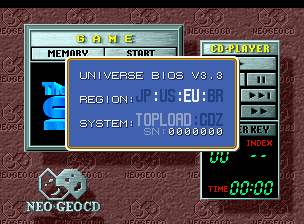
Sur le même principe que l’Universe Bios pour MVS/AES, ce bios de remplacement vous permettra de jouer avec vos jeux avec une foule de possibilités supplémentaires (cheats, mode AES/MVS, Vitesse accrue/Protection supprimée…).
Bien que réservé principalement aux possesseurs de la véritable console, ce bios pourra évidemment s’utiliser avec des émulateurs de NeoGeo comme FBA/MESS/RAINE/… (lorsque ceux-ci seront à jour).


cd0001 cd0002


Improvements

– Bios now selfchecks itsself at boot, a red screen is displayed if an error is found.
– Changing the system type will make the system reboot when exiting the settings window.
– Opening the ingame menu should now pause CD audio, it should play again once closed.
– Overhauled the backup memory manager to improve usability.
– Formatting the backup memory no longer clears unibios region settings.
– Updated to include 68k exception error handling.
– Made the white flash on opening and closing the audio player program box shorter.
– The finger pointer now disapeers when the Universe Bios settings dialogue is open.
– The Insert CD dialogue box now clears when the Universe Bios settings dialogue is opened.
 
Fixes

– Stopped entry into unibios features after pressing start to load game from radio screen.
– Hopefully stopped entry into the ingame menu at points where used tiles will be corrupted.
– Hopefully fixed rare case of ingame menu graphics not showing if entry just before a game
game requests files to be loaded from CD.
– Fixed reset on entry into the cheat database if the loaded game is Fatal Fury 3.
– Fixed severely corrupted ingame menu if the loaded game is Last Hope.
– Stopped the ingame memory viewer accessing ranges that cause a system reset.
– Stopped the ingame menu being accessible on the radio screen after quitting a game.
– Added large font to the ingame menu for World Heroes Perfect, Overtop and Zintrick.
– Added fix to correct the color brightness (bug/protection) when in Euro region.
 
MVS/AES DEV Bios related only

– Fixed rare issue that caused a blank screen on boot if no data loaded or no key code used.
– Stopped the ingame memory viewer accessing ranges that cause system resets.
 
PC-2-NEO related only

– Some CDZ systems should now be able to take advantage of the faster loading speeds.
– 2UP joystick passthrough handled better on PC-2-NEO screens.
– Fixed a minor issue with the progress bar on initial IPL file load in some games.
– Fixed Neo Turf Masters showing blank screen after first hole loading if CD audio used.
– Fixed bad tiles in PC-2-NEO when accessed from the CD ingame menu if the loaded game
is Samurai Shodown RPG.
– Fixed corrupted font in PC-2-NEO when accessed from the ingame menu if the loaded game
is either World Heroes Perfect, Overtop or Zintrick.
 
Cheats

– Improved the Crossed Swords 2 gold cheats.
– Added a NeoTurfMasters ‘Unlock Scotland’ cheat (press D on course select screen).
– Added a Viewpoint ‘Simultaneous Play’ cheat.
– Added more Iron Clad cheats.
– Added some Last Hope cheats.
– Added cheat for ‘Samurai Shodown RPG’ to unlock Omake mode.
– Added Infinite Magic cheats to Kabuki Klash.
– Added hidden character cheats to Zintrick.
– Added ‘Show SP commands OSD’ cheat for Samurai Shodown 4
– Added cheats for ‘Metal Slug 2 Turbo’
– Fixed Metal Slug 2 Autofire cheat.
– Fixed Ninja Combat ‘Max Power’ cheat typo.


Rappel: pour ceux ou celles qui se demanderaient comment faire pour souder le bios sur sa carte mère, une solution toute prête est disponible ici pour un prix tout à faire abordable !


cd0001x


La dernière version de ce bios est disponible (moyennant finance) sur le site de Razoola, l’ancienne version devient gratuite.
 

Site Officiel

Créé par Avery Lee (l’auteur de VirtualDub), il s’agit d’un émulateur d’Atari 8 bits (800/800XL/130XE) disponible en 32 et 64 bits. Il dispose de beaucoup d’options ainsi que d’une bonne compatibilité. Il prend en charge les jeux protégés conformément à l’émulation.


Topic des versions Beta.

Télécharger Altirra v2.80 Test 26 (3,7 Mo)

Site Officiel

En savoir plus…

Voici les derniers builds de Creamymami concernant MAME(Arcade).


– Caname c’est MAME(Arcade) ne supportant que les jeux CPS et Neo Geo.
– NMamex2 est un build de l’émulateur MAME(Arcade) sous Windows qui ne supporte que les jeux NeoGeo.
– Mame32k c’est MAME(Arcade) intégrant le module Kaillera (jeu en réseau).
– Mame32 More! est une version basée sur Mame Plus! mais compilée avec Kaillera.


Télécharger Caname v0.62.289 (2026/11/07) (2.4 Mo)

Télécharger NMamex2 v0.289 (2026/11/07) (1.7 Mo)

Télécharger Mame32K v0.67.289 (2026/11/07) (9.5 Mo)

Télécharger MAME32 More! v0.84.289 (2026/11/07) (12.2 Mo)

Site Officiel

En savoir plus…

Il s’agit de FBA Shuffle faite par Creamymami, contrairement aux versions de KOF2112, cette version est plus proche de la version officielle de FBA.


fba_shuffle_lang


Télécharger FBA Shuffle (x86) [Creamymami] v2.4.0 (2016/04/03) (4,6 Mo)

Télécharger FBA Shuffle (x64) [Creamymami] v2.4.0 (2026/11/07) (7.1 Mo)

Site Officiel

En savoir plus…


https://getourbonus.com/fr/accueil

https://www.romspedia.com/