Il s’agit d’un émulateur de Playstation. (Builds automatiques).

 
– system: do not set SP when loading .exe when 0
– project: make debug builds more usable
– spu: added missing include
– render: refactored blending, now works like on real HW
– adpcm: clamp shift bigger than 12 to 9
– adpcm: reformat code
– config: use enum types
– refactor: use const string ref where applicable
– cpu: inline handleSoftwareBreakpoins
– gpu: multiline handling, command refactoring
– cpu: change exception vector for cop0 breakpoint
– debug: gpu polygon arg handling
– gpu: vram transfers refactor
– gpu: cpuToVram was always copying even number of pixels
– others fixes


Télécharger Avocado (x86) r784 (2.2 Mo)

Télécharger Avocado (x64) r784 (2.4 Mo)

Site Officiel

En savoir plus…

Un émulateur de NES écrit en C#. My Nes est un émulateur NES portable et écrit en C#. Il fonctionne sur Vista et supérieur. Il supporte plus de 1000 roms. Le moteur du rendu vidéo utilise les librairies .net Framework 4, ce qui permet un affichage des couleurs réelles avec la plus grande précision. Il est possible de modifier la palette de couleurs d’un jeu. De plus l’affichage peut être soit en 16 bits, soit en 32 bits. La librairie SlimDX de janvier 2012 est requise.


My Nes propose également un navigateur de vos dossiers roms. Cette interface peut filtrer les jeux en fonction des mappers et peut afficher uniquement les mappers supportés. Elle associe également une capture d’écran à chaque rom.


Les changements:

– Added: new audio mixer instead of the default lookup table.
– Fixed: audio sound filters (wrong high-pass equation and alpha calculation).


Télécharger My Nes (Stable) v7.13.8155.38062 (39.8 Mo)

Site Officiel

En savoir plus…

Il s’agit d’un émulateur Sinclair Zx 81 basé sur VB81 v1.30 de Chris Cowley.


A l’origine, le but était d’ajouter quelques fonctionnalités (screenshots…) puis au fur et à mesure plusieurs périphériques ont été implémentés, et des fonctionnalités partielles du ZX81 ont été ajoutées.
 

Télécharger VB81 XuR (2025/08/28) (7.2 Mo)

Site Officiel

En savoir plus…

Anciennement connu sous le nom de Super Sleuth, il s’agit d’un bon émulateur de Sega Master System, GameBoy, NES, SuperNES et IBM PC AT/XT émulant plusieurs types de composants.


yoshi

Les changements sont:

 
– [IBM] Fixed VGA line compare register
 

Télécharger Kindred v1.12 PB 3 (2.1 Mo)

Site Officiel

En savoir plus…

Nouvelle version de cet émulateur de SuperNes.


Les changements:
– improved ExLoROM support (fixes Fire Emblem: Thracia 776 fan translation)
– several improvements to the libretro target, including macOS and Android platform support
– fixed an issue where the Alt key wasn’t activating the menu on the Windows port
– removed 2160p HD mode 7 setting, due to Direct3D 9.0 texture size limits of 2048×2048
– reverted fresh configuration files to using the safer hardware drivers
– disabled the ASIO driver due to lack of support
– fixed a crashing issue when idling with the snow effect enabled
– added IOKit joypad support for macOS [Sintendo]
– added fast PPU render cycle position override for Firepower 2000’s title screen
– ported higan’s accurate PPU renderer back to bsnes to add sprite caching for Wolfenstein 3D

 
Des builds automatiques sont disponibles ici.


Télécharger bsnes (64 bits) v115 (4.2 Mo)

Site Officiel

En savoir plus…

Foobar2000 est un lecteur de prime abord minimaliste. Son interface est des plus sobre avec la seule présentation d’une liste de lecture alors que la barre de progression et les boutons de contrôle peuvent n’être que des caractères textuels. Il supporte de nombreux formats sonores (notamment les formats audio d’anciennes machines) grâce à l’ajout de plugins.


Cette légèreté permet bien sûr à Foobar2000 d’être l’un des lecteurs MP3 les plus léger en termes de ressources mémoire / processeur, mais il ne faudrait pas croire que cela le contraint au minimum syndical. Le fonctionnement par plugins de ce lecteur lui permet d’être incroyablement modulaire et d’intégrer un nombre impressionnant de fonctions.


De nombreux formats audio en rapport avec l’émulation sont parfaitement supportés.


foobar

Les changements:


– File Operations: Fixed window order bugs with Windows 10 1809 and newer
– Fixed creation of crash reports from stack overflow crashes.
– Fixed some Ogg files being unplayable since version 1.4.
– Changed order of written FLAC metadata blocks to work around bugs in Windows Explorer.
– Corrected a 1.4.7 regression causing certain old components to stop working correctly.
– Misc bug fixes.


Télécharger Foobar2000 v2.26.2 (14.1 Mo)

Site Officiel

En savoir plus…

Créé par Avery Lee (l’auteur de VirtualDub), il s’agit d’un émulateur d’Atari 8 bits (800/800XL/130XE) disponible en 32 et 64 bits. Il dispose de beaucoup d’options ainsi que d’une bonne compatibilité. Il prend en charge les jeux protégés conformément à l’émulation. Il s’agit d’une version de développement au stade de béta.


Topic des versions Beta.

Télécharger Altirra (Beta) v4.50 Test 28 (7.7 Mo)

Site Officiel

En savoir plus…

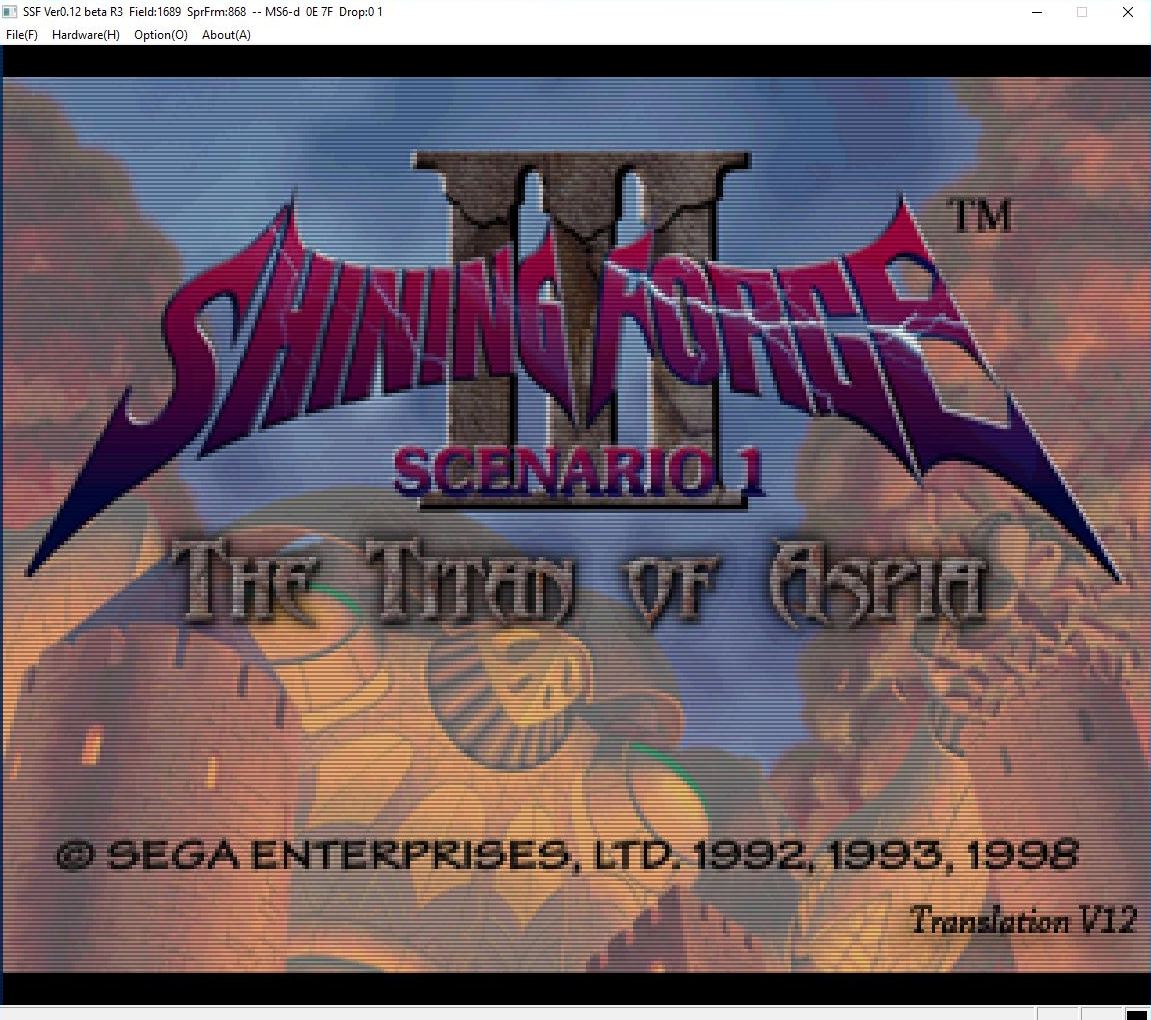
Créé par Shima, SSF est l’un des meilleurs émulateurs Saturn. Il fut le premier à émuler des jeux commerciaux.


– Fixed a bug that the start position of index 0 area is shifted in CreateCDImage.exe

– Slightly faster (should have been) by changing the compile options for both Windows and Android versions
– Add -fomit-frame-pointer to the option passed to clang.exe of CreateObject.exe (maybe it should be faster)

– Fixed STV configuration file name after LLVM introduction
– Fixed a bug that STV does not start when there is no CD drive.

– 64-bit Android version of VDP1 drawing processing is accelerated
– Accelerate DSP processing for Android


Télécharger SSF v0.12 PreviewVer R38 (39.9 Mo)

Télécharger SSF (Français) v0.12 PreviewVer R34 (49.7 Mo)

Site Officiel

En savoir plus…

dgVoodoo est un glide wrapper mais aussi un wrapper DirectDraw/Direct3D (v1 à 7, 8.1 et 9) vers Direct3D11. Pour simplifier grandement, ça émule une carte 3DFX qui va pouvoir gérer la bibliothèque propriétaire Glide (Glide 2.11, Glide 2.45, Glide 3.1 et Napalm) mais également les vieilles cartes graphiques compatibles DD/D3D v1 à v9. Quel est l’intérêt ? Jouer aux anciens jeux qui fonctionnent mal sur les nouvelles cartes graphiques (parce qu’ils ont été optimisés pour le Glide ou de vieilles versions de DirectX et non pour d’autres API telles que OpenGL ou DirectX v11) ou tout simplement utiliser un émulateur qui lui aussi utilise le Glide. Cette version est destiné à Windows Vista/7/8/10 avec DirectX 11 (ou supérieur) d’installé et vous devez posséder une carte graphique (compatible DirectX Level 10.1) supportant les Shaders Model v4 ou v5.
 
glquake
 
Vous aurez besoin de ces bibliothèques pour activer certaines fonctions graphiques.
 
Les changements:

 
– Fixing bugs in the DXBC generator (Halo CE, Splinter Cell 1, The Sims 2)
– Fixing a drawing bug causing polygon corruption (The Sims 2)
– Adding DX feature level 11.0 as output API for 16K size textures (DX8/9)
– True software vertex processing in Draw* methods in DX modules for special cases, when needed (Nosferatu)
(but it was a general long outstanding compatibility problem)
– Some DDraw blit refactor + adding option DirectXExt\PrimarySurfaceBatchedUpdate for batched update for primary surface changes
– Some DDraw improvement for GDI interaction (Bad Mojo Redux video playback)
– Size of the emulated hw cursor is now scaled according to the forced resolution and integer scale factors
– Fixing the behavior of the emulated cursor when no any draw-changes made on the app side
– Fixing bugs in handling rendering windows (Requiem)
– Now all sections of the configuration are accessible through the CPL GUI (Ext sections are hidden by default though)
– Adding a new option for, and implementing Display ROI (region of interest)
– Now a subrectangle can be defined for scaling modes done by the wrapper. Useful for applications rendering into a widescreen subrectangle inside a 4:3 resolution – the widescreen subrectangle can be defined as display ROI, the input of the scaling process
– Dithering didn’t work for render targets with format A2R10G10B10, fixed


Télécharger dgVoodoo v2.87.6 (35.2 Mo)

Télécharger 3Dfx splash / D3D Compiler for DgVoodoo2 v4.x (3.2 Mo)

Site Officiel

En savoir plus…

PlayNite est un gestionnaire open source de bibliothèque de jeux vidéo et un launcher avec prise en charge des bibliothèques tierces telles que Steam, GOG, Origin, Battle.net et Uplay. Incluant le support d’émulation de jeu et fournissant une interface unifiée pour vos jeux.

 
If you are having performance issues after updating to Playnite 5. Try disabling or lowering quality of background blur. There’s currently an issue with some Intel GPUs not handling it very well.
 

New
– Option to change application font
– Option to set height of cover image on Details View
– Option to set icon size in Details View game list
– Option to disable separators between panels
– bsnes, Mesen-S, melonDS and higan emulator profiles (by darklinkpower)
– Reicast emulator profile
– Added new expandable variables #1411
– Theme update support for Toolbox utility
– Disabled controller in Desktop mode (until it’s properly implemented/fixed)

 
Fixed
– Reverted background blur fix for Intel GPUs due to crashes with some high-res images #1428
– Crash on startup when using some custom themes
– Background image blur is slowing down UI on Intel GPUs
– Unified store page link names #1396 (by darklinkpower)
– Twitch import fails #1366
– Twitch metadata download is using wrong background image #1376
– Icons/Covers disappear when scrolling too fast #1255
– System hibernation from Fullscreen mode doesn’t work on some systems
– Scrollbars can’t be moved by clicking on the empty slider area
– Scrollbar in Details View causes horizontal shift of information #1327
– Reload of script extensions doesn’t work properly
– Playnite’s window position is not saved properly #1311
– Platforms not being assigned to emulator profiles properly
– Not all GOG games being imported properly #1393
– Metadata download from IGDB fails for some game names #1336
– Installing updates for existing 3d party themes fails in special cases
– Importing mGBA emulator with wrong executable path
– Import from itch.io can fail in some cases #1173
– Game selection is not being rendered properly sometimes #1152
– Game details elements are not aligned properly #1374
– Game description is not being rendered properly #1217
– Configuration of supported emulator file types is not being handled properly #1360
– Filter box sizes are not rendered consistently
– Auto update check could potentially freeze the UI
– Asynchronous image loading not working properly
– Application hangs during shutdown #866
– Crash when updating game metadata #1350
– Crash when uninstalling Origin game
– Crash when switching from Fullscreen mode to Desktop mode #1378
– Crash when starting game
– Crash when starting application and another instance is already running
– Crash when shutting down application
– Crash when resizing Grid view
– Crash when emulator Play action is removed
– Crash when editing multiple games at once
– Crash when assigning image to a game

 
Others


Télécharger PlayNite v10.64 (145 Mo)

Site Officiel

En savoir plus…

Mesa3D peut être utilisé pour fournir un moteur de rendu Software aux applications OpenGL et est particulièrement utile pour exécuter d’anciennes applications et jeux qui utilisent une ancienne version d’OpenGL et qui ne fonctionnent pas correctement sur du matériel moderne.
Notez que ce dispositif de rendu est loin d’être parfait, et de nombreux jeux ne fonctionneront pas encore.
 
Des instructions sur l’utilisation de la DLL sont incluses.


NB: Parce que certaines applications et jeux vont refuser de charger opengl32.dll à partir de leur répertoire, vous pouvez utiliser MesaInjector.
 

Télécharger Mesa3D (x86) v20.1.8 (6.7 Mo)

Télécharger Mesa3D (x64) v20.1.8 (8.4 Mo)

Télécharger MesaInjector v20.1.8 (8.5 Mo)

Site Officiel

En savoir plus…

AmiArcadia est le port amélioré de Tunix2001 ex ‘Win Arcadia 2001’ (par Gavin Turner) pour Amiga. Ecrit par James Jacobs et Gavin Turner, cette version est en fait le port Windows du port Amiga (un backport) !


Il émule les consoles basé sur la famille des Arcadia2001 : Bandai, Emerson, Grandstand, Hanimex, Intervision, Leisure-Vision, Leonardo, MPT-03, Ormatu, Palladium, Poppy, Robdajet, Rowtron, Tele-Fever, Tempest, Tryom, Tunix, etc.
 
Il supporte aussi l’Interton VC 4000 et l’Elektor TV Games Computer. Il nécessite Windows 9x/ME/NT/2000/XP et tourne aussi sous Vista/8/10.
 

Télécharger Win Arcadia (Ami Arcadia) v36.8 (9.9 Mo)

Site Officiel


https://getourbonus.com/fr/accueil

https://www.romspedia.com/