De nouveaux patchs sont disponibles sur le site de nos partenaire de chez la TRAF (et sur notre miroir), de quoi s’occuper de nombreuses heures 🙂

0 commentaire



De nouveaux patchs sont disponibles sur le site de nos partenaire de chez la TRAF (et sur notre miroir), de quoi s’occuper de nombreuses heures 🙂
Nplayers : Exclusivement pour les frontends comme EmuLoader, MaLa etc.. ce fichier vous servira à classer les jeux par nombre de joueurs possibles : 1p, 2p, 1p+2p, 1p+2p alt, etc…
Nplayers32 : Exclusivement pour MameUI ou clone de celui-ci… ce fichier vous servira à classer les jeux par nombre de joueurs possibles : 1p, 2p, 1p+2p, 1p+2p alt, etc…
Build de MAME(Arcade) qui empêche toute tricherie dans les vidéos .inp, utilisé par les sites qui référencent les records.
Voici l’ensemble des screenshots et icônes de MAME réunis dans des packs à télécharger…
Le dats est disponible ici.
Télécharger MAMEUI Screenshots Pack v0.289 (273 Mo)
Télécharger MAMEUI Screenshots Pack (Update) up to v0.258 (5.6 Mo)
dgVoodoo est un glide wrapper mais aussi un wrapper DirectDraw/Direct3D (v1 à 7, 8.1 et 9) vers Direct3D11. Pour simplifier grandement, ça émule une carte 3DFX qui va pouvoir gérer la bibliothèque propriétaire Glide (Glide 2.11, Glide 2.45, Glide 3.1 et Napalm) mais également les vieilles cartes graphiques compatibles DD/D3D v1 à v9. Quel est l’intérêt ? Jouer aux anciens jeux qui fonctionnent mal sur les nouvelles cartes graphiques (parce qu’ils ont été optimisés pour le Glide ou de vieilles versions de DirectX et non pour d’autres API telles que OpenGL ou DirectX v11) ou tout simplement utiliser un émulateur qui lui aussi utilise le Glide. Cette version est destiné à Windows Vista/7/8/10 avec DirectX 11 (ou supérieur) d’installé et vous devez posséder une carte graphique (compatible DirectX Level 10.1) supportant les Shaders Model v4 ou v5.

Vous aurez besoin de ces bibliothèques pour activer certaines fonctions graphiques.
Les changements:
– Support for the external compiler in DirectX modules is removed, along with option DirectXExt\ShaderCodeGenerating
– Bugfixes in the DXBC generator (Indiana Jones and The Emperor’s Tomb, +general code revising)
– Somewhat more optimized generated shader code + other minor optimizations
– Minor DDraw fixes (Siege of Avalon)
– Minor D3D vertex processing fix (Biko 1)
– Adding option DirectExtX\MaxVSConstRegisters (Artifical Academy 2)
– Fixing D3D9 scaling bugs (AvP Classic with DX9 renderer)
Télécharger dgVoodoo v2.87.6 (35.2 Mo)
Télécharger 3Dfx splash / D3D Compiler for DgVoodoo2 v4.x (3.2 Mo)
MAME(Arcade), partie arcade de MAME, est un émulateur multi-arcade émulant plus de 32000 jeux (à partir de 1975).

Télécharger MAME(Arcade) [32 bits] v0.289 (75.2 Mo)
Ces fichiers ini concernant la partie arcade de MAME sont à mettre dans le répertoire « folders » de MAMEUI (ou clones). Il propose un tri des jeux par catégorie, année de sortie, version de MAME…
Il s’agit d’un fichier DAT tenu par MASH regroupant toutes les infos du site « mametesters.com ». Il donne des infos sur l’émulation des jeux sous MAME(Arcade), c’est a dire le développement, les bugs, les améliorations…
pfeMame (écrit par Gareth Finch) est un frontend pour MAME, écrit en Python. Il est multiplateforme (testé sur Linux – Ubuntu et Windows). Il comprend également une interface graphique destinée aux MameCab qui permet le contrôle à l’aide de joystick / manette.

Télécharger pfeMame (32 bits) v3.9.2 (119 Mo)
Créé par Shima, SSF est l’un des meilleurs émulateurs Saturn. Il fut le premier à émuler des jeux commerciaux.
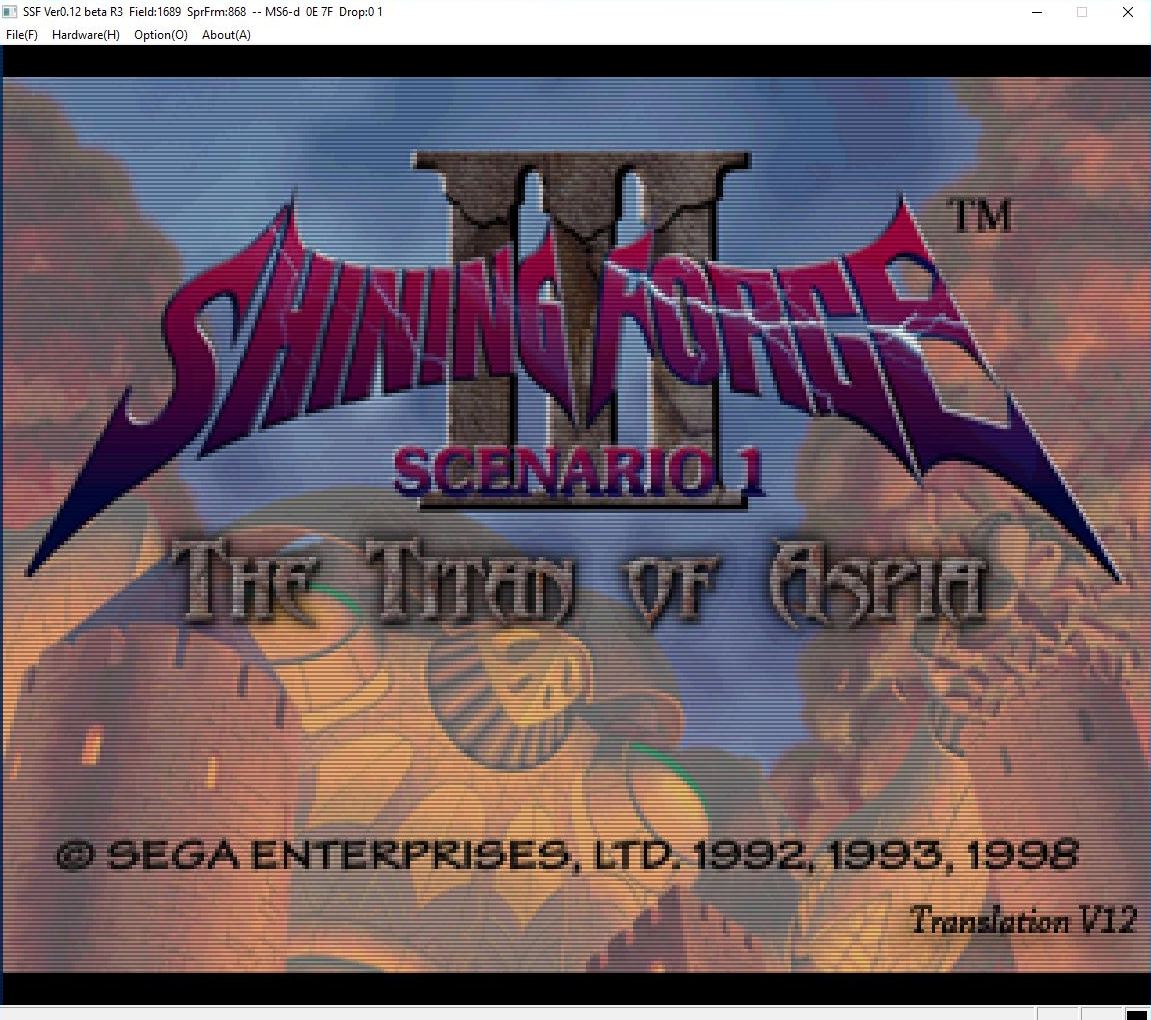
Télécharger SSF v0.12 PreviewVer R38 (39.9 Mo)
Créé par Exzap, il s’agit du second émulateur de Wii U à être disponible au public mais le premier à pousser jusqu’à l’émulation de jeux commerciaux. Il peut décrypter les images Wii U qui utilisent le format Wud mais également les fichiers RPS ou RPL. La résolution interne peu aller jusqu’à 1920×1080 selon les jeux. A noter que pour le moment, un seul contrôleur est accepté, il s’agit du DRC (GamePad) de la Nintendo Wii U. Cette version n’est compatible que pour les Windows x64 (à partir de Windows 7) avec une carte graphique gérant OpenGL 4.1 ou supérieur et il faudra posséder 4 à 8 Go de mémoire vive (Ram) pour le faire fonctionner. (Correspondance ID-Titre).
Un tuto est disponible ici.

Les changements:
En résumé:
– Improved handling of updates and DLC
– Debugger improvements
– Internal shader changes
– Bug fixes
En détails:
# New in 1.15.11c:
GX2: Fixed emulation of gl_PointSize when geometry shaders are used
# New in 1.15.11b:
general: Fixed a bug where DLC would be installed into the wrong location
GX2: Fixed broken transform feedback on OpenGL (#157, #159)
# New in 1.15.11:
general: Better update/dlc handling
Updated mlc01 folder locations for updates and dlc to match those of an actual Wii U
Newly installed updates and dlc will be stored at the new locations, while previously installed ones are still detected properly
Improved detection of type of content (affects installation and gamelist)
Installing updates/dlc will now backup previously installed content and restore it on failure/cancelation
debugger: Implemented more instructions for assembler and disassembler
debugger: Assembler now supports basic expressions in place of constants
debugger: Fixed a crash when stepping into imports
coreinit: Fixed OSUninterruptibleSpinLock_Acquire() not restoring interrupts before switching to the scheduler
nn_erreula: Fixed a bug where the same message would keep poping up
padscore: Opening the input configuration window no longer temporarily disconnects the emulated controllers
padscore: Fixed PPC stack corruption caused by KPADSamplingCallback (#140)
nn_fp: IsOnline() now only returns true if there is an established friend server session. This should fix crashes or softlocks in games that only worked in online mode
GX2: Shader tweaks to bridge the gap between OpenGL and the upcoming Vulkan renderer
If you are a graphic pack developer, be aware of these changes:
– All shaders are now generated with a Vulkan and OpenGL compatible header using #ifdef / #endif preprocessor directives
– gl_Position should always be set via the new SET_POSITION() macro
– Shaders used in combination with point primitives always have to write gl_PointSize
– Point shaders that get their point size from renderstate have a new uniform variable (uf_pointSize)
– Primitive points will modify the vertex shader base hash (+0x71)
Existing custom shaders remain compatible with the OpenGL backend, except for vertex/geometry shaders used in combination with GL_POINTS which need to be updated
Note:
(#xx) refers to bug tracker issues resolved by this change. See http://bugs.cemu.info/projects/cemu/
A noter que des packs graphiques haute définition sont disponibles ici. Ils permettent, entre autre, d’augmenter la résolution native des jeux car contrairement à Dolphin et parce que la machine est techniquement différente il n’est pas possible à Cemu d’augmenter la définition autrement que par cette méthode.
A l’inverse, des packs SD (définitions standards et/ou basses) sont disponibles sur ce lien et permettent à certains PC manquant de performance de lancer des jeux en 60 FPS.
Une liste de compatibilité est disponible ici.
Il s’agit d’un émulateur de Sega Dreamcast en cour de développement.
Added
– New app icon.
– New animated background in user interface.
– PowerVR DMA support (Sonic Shuffle, Simple2000 Series).
– PowerVR fog support.
– 32-bit support for Android.
– GL ES 3.x support for Android.
– AArch32 and AArch64 JITs for Android.
– Built in fps counter.
– Automatic frame skipping.
– Reset binds option in input menu.
– Support for Nintendo Switch Joy Cons.
– Automatic library directory scanning.
– Touch screen suppport.
– Virtual gamepad input device.
– Save state support.
Changed
– Mac builds are now distributed as app bundles.
– Mac builds now write out internal files to ~/Library/Application Support/redream.
– Make options save before shutting down in the off-chance that there’s a crash during shutdown.
– Improved per-strip accuracy.
– Optimized texture conversion routines.
– Lowered per-pixel requirement to GL 4.3+ / GL ES 3.2+.
– Improved framebuffer presentation accuracy and raw framebuffer write detection.
– Numerous rendering performance improvements as a result of Android optimizations.
– Improved AMD rendering performance when using per-pixel sorting. RX 480 at 1440p x 64 layers improved from ~50 fps to ~190 fps in Sonic Adventure main menu.
– Avoid persisting the pc to the context as frequently.
– Avoid persisting the cycle count to the context as frequently.
– Avoid unnecessary page permission changes when applying memory watches.
– Inline hot MMIO paths.
– Inline constants during code compilation.
– Added constant materialization optimization pass.
– Reduce register pressure in MACL / MACW operations.
– Use floating-point instructions for floating-point data transfers to reduce redundant SH4 context accesses.
– Run at a fixed 60hz in the UI.
– Improved indexing of disc box art.
– Raised maximum input devices to 32.
– Refactored virtual memory system to work with only a 29-bit address space.
– Filter out single-session CDIs in the UI which require a boot disc to use.
– Improved frame pacing and performance by tightening up the audio and video sync.
– Turbo button is now a toggle.
Fixed
– SLEEP instruction not waking correctly (Psyvariar 2, Shikigami no Shiro II).
– Linux build unnecessarily linking with optional libraries (libXinerama, etc).
– Linux build using the incorrect directory for internal files when using a symlink.
– Mac build flashing on startup when fullscreen.
– More robust self-modifying code detection (Shenmue, Shenmue II).
– More robust culling of degenerate vertices (Wacky Races, Soul Calibur, Headhunter).
– Artifacts along the 1-pixel edge of the viewport in some games.
– Garbage data outside of the viewport in games attempting to compensate for overscan.
– Numerous HLE BIOS issues (MSR, 2K sports games).
– Corrected TOC for GDI and CHD disc images, fixes missing audio tracks in BIOS music player (MDK2).
– Crash when the texture cache reset mid-game in libraries with more than 512 games.
– Incorrect polygon winding for background plane (MDK2).
– Geist Force hanging during intro.
– Jet Set Radio crashing during graffiti free paint.
– Pro Pinball Trilogy hanging on boot.
– Monaco Grand Prix hang on startup.
– NHL 2K2 hanging in the main menu.
– NHL 2K2 pause menu rendering.
– Slave Zero failing to boot.
– Toe Jam and Earl crash on startup.
– Audio clicking in Sonic Adventure menus.
– Music in MDK2 and Stupid Invaders not playing.
– Music in Maken X cutting out during intro and beeping.
– Music in Walt Disney World Quest not pausing in menus.
– Music in Test Drive Le Mans going off the rails after ~10 minutes of play.
Les changements sont également visibles ici.
Une version payante (proposant la HD) est disponible sur le site officiel.

