B’can est un émulateur de la console taïwanaise Super A’Can, développé par BillyJr et basé sur MAME 0.287.
 
Le projet reprend l’émulation existante de la Super A’Can et vise à corriger les problèmes encore présents, notamment au niveau de l’affichage et du son. BillyJr indique avoir repris et corrigé le code à de nombreuses reprises avec l’aide de l’IA et affirme que tous les problèmes actuellement connus ont été corrigés.
 
Le code source est encore en cours de nettoyage. BillyJr prévoit ensuite de soumettre les améliorations à MAME.
 
Un autre projet (non lié à BillyJr) d’émulation online est disponible ici.


Voici un historique de l’émulation de la Super A’Can:
 
Vers 2002

Mr. Lee aide à dumper le jeu 爆爆動物園 depuis une cartouche. À cette époque, la Super A’Can reste pratiquement sans recherches consacrées à son émulation.


2004

BillyJr cherche quelqu’un pour étudier la Super A’Can et contacte Tomasz Slanina (dox), développeur notamment de l’émulateur WonderSwan Cygne. Tomasz accepte de travailler sur la console.


Il confie ensuite le travail à Peter Trauner, développeur important des débuts de MAME/MESS.


17 décembre 2004

Peter Trauner commence à développer l’émulation de la Super A’Can à partir de la ROM de 爆爆動物園. La première version présente encore plusieurs problèmes, notamment au niveau du son, de la rotation, du zoom et de la communication entre les CPU 68000 et 6502.


19 décembre 2004

Peter annonce à BillyJr que 爆爆動物園 est désormais jouable.


Comme Peter ne possède pas de Super A’Can, BillyJr effectue des tests directement sur la console à Taïwan afin de lui fournir des informations sur le fonctionnement réel du matériel et de l’affichage.


Fin 2005

Peter Trauner dispose des sauvegardes de 10 jeux Super A’Can.


2010

MESS 0.136 intègre officiellement le driver Super A’Can. Wilbert Pol fait partie des contributeurs importants de cette période.


2019

Le développeur MAME Ryan Holtz entreprend une importante réorganisation de l’émulation de la Super A’Can. Il corrige notamment le comportement des sprites, le CPU sonore, le Reset et le Halt, ainsi que la communication avec les manettes. Il corrige également l’hypothèse concernant le support des troisième et quatrième joueurs.


2021

Ryan Holtz et superctr ajoutent une première version de l’émulation sonore de la Super A’Can.


2023

Ryan Holtz et wxhsplash intègrent le Boot ROM du 68000 de la console dans l’émulation.


2024

Angelo Salese commence à traiter de nombreux problèmes restants concernant notamment les Tilemaps, les Sprites, l’Overscan, les couches d’affichage, le défilement et la mémoire de sauvegarde des cartouches.


MAME 0.284

La Super A’Can est finalement classée officiellement Working dans MAME. Les deux principaux contributeurs indiqués sont Angelo Salese et Ryan Holtz.


Juillet 2026

BillyJr reprend le travail sur l’émulation en utilisant MAME 0.287 comme base, avec l’aide de l’IA. Il indique avoir repris le code plus de 50 fois et avoir corrigé tous les problèmes connus.
 
Le code source est encore en cours de réorganisation. Une fois ce travail terminé, BillyJr indique vouloir soumettre ses améliorations à MAME.
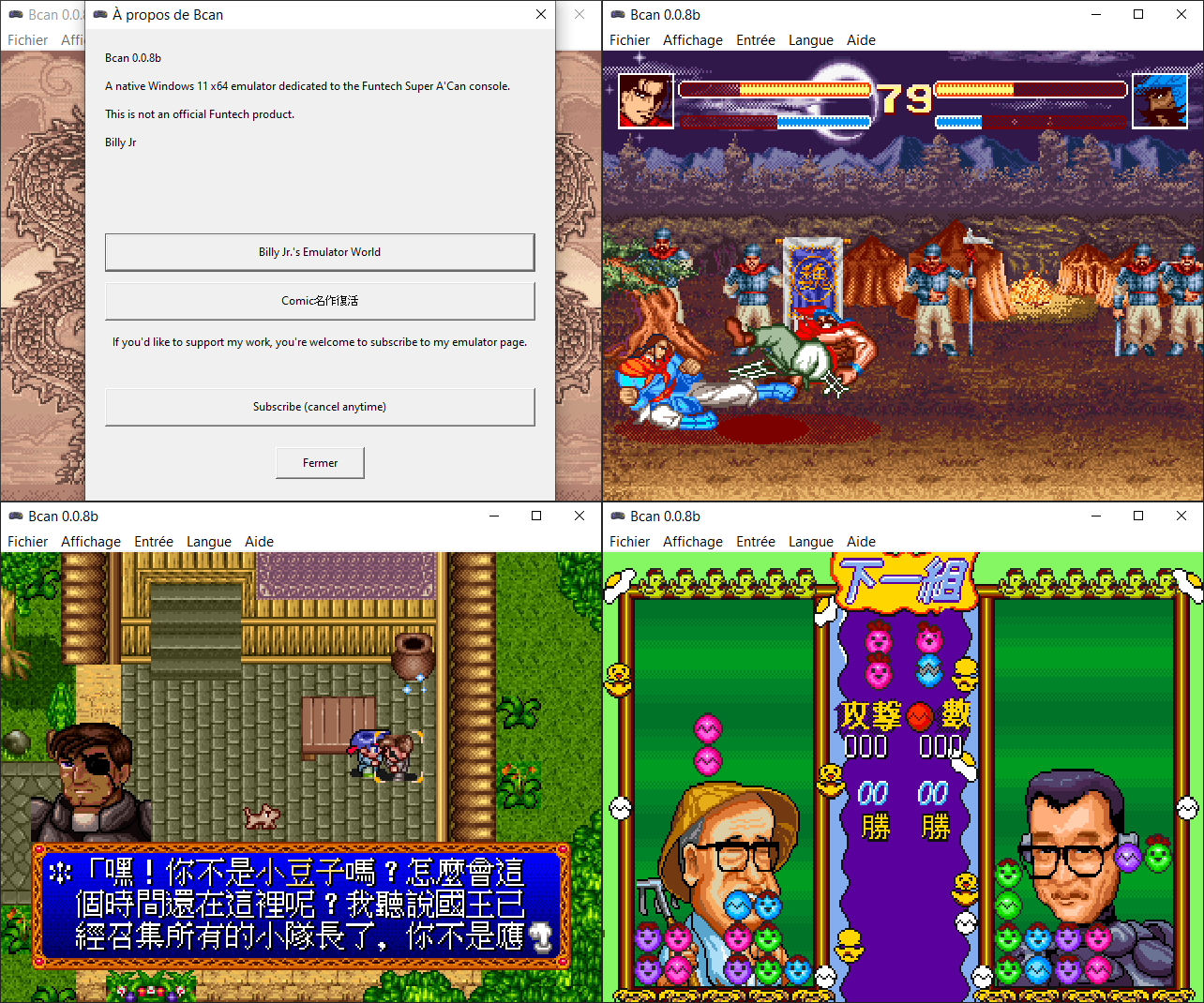


Une excellente nouvelle: BillyJr est de retour ! Il a notamment développé XaviXemu récemment et, à l’époque, avait dumpé de nombreux jeux Neo Geo durant les grandes années de l’émulation.
 

Télécharger Bcan v0.08 (1.2 Mo)

Site Officiel

En savoir plus…

KytyPlus est un fork de KytyPS5, lui-même dérivé du projet original Kyty. Il reprend son émulation de la PlayStation 5 tout en ajoutant plusieurs améliorations, notamment le support expérimental des jeux PS4 via shadPS4, le FSR 1.0, un cache Vulkan permettant de conserver les pipelines compilés et différentes optimisations destinées aux GPU intégrés (iGPU). Il permet également l’installation des fichiers PKG depuis son interface et propose une gestion unifiée des jeux PS4 et PS5. Le projet est encore en développement et de nombreux jeux peuvent rencontrer des plantages, des écrans noirs ou des problèmes graphiques.


Télécharger KytyPlus v3.0 (20.2 Mo)

Site Officiel

En savoir plus…

Un émulateur du système Symbian OS. (Builds automatiques)


– Merge pull request #651 from yeatse/ci/macos-scripting
– ci: stop building macOS without the scripting subsystem
– Merge pull request #652 from yeatse/ci/macos-arm64-asset-name
– ci: ship the macOS DMG itself, under its real architecture
– Merge pull request #650 from yeatse/fix/qt-install-thread-pool-deadlock
– qt: run package install off the global thread pool
– Merge pull request #649 from yeatse/fbs/atlas-owns-packer
– fbs: give the atlas its own packer, and size fallbacks off the canonical
– Merge pull request #648 from yeatse/fix/archive-dump-rom-selection
– fix(installer): install the real ROM out of a dump’s ROM folder


Télécharger EKA2L1 v0.0.9 r260830 (649 O)

Site Officiel

En savoir plus…

‘Xbox 360 Controller Emulator’ est une bibliothèque de wrappers qui traduit les appels XInput en appels DirectInput, et permet le support des pads non-compatibles XInput dans les applications (surtout des jeux).
 
En d’autres termes: x360ce vous permet d’utiliser n’importe quel pad dans les jeux qui supportent à la base uniquement le pad XBOX360 !
 
Notez que la version AnyCPU s’exécute nativement en 32 ou 64 bits selon le système. Elle est donc la seule version à jour à privilégier.

 
x360ce_General
 
Plus d’infos sur le site officiel.
 

Télécharger x360ce (AnyCPU) v4.19.17 (13.4 Mo)

Télécharger x360ce (64 bits) v3.2.9.82 (1.6 Mo)

Site Officiel

En savoir plus…

Obentou est un émulateur multi‑systèmes écrit en C, conçu pour regrouper en un seul programme tous les émulateurs développés par son auteur au fil des années.
Le projet est open‑source et distribué sous licence GPL‑3.0.
 

Systèmes actuellement supportés:
– Space Invaders Arcade
– Pacman core — Pacman, Ms. Pacman, Jr. Pacman et autres cartes d’arcade basées sur Pacman
– CHIP-8
– Bytepusher — machine fantasy à 1 opcode
– GAMATE
– GBC — Game Boy / Game Boy Color / Mega Duck
– GBA – Game Boy Advance
– NES — Nintendo Entertainment System
– PCE — PC-Engine
– PV1000 — Casio PV-1000
– TMS80 — systèmes TMS9918 + Z80 (SMS / Game Gear / SG-1000 / SC-3000)
– Coleco Vision — BIOS requis
– WATARA — Watara Super Vision
– SPECCY — ZX Spectrum 48K
– JACE — Jupiter Ace


Les changements sont:
 
– added gamate core


Télécharger Obentou v0.2.1 (2.2 Mo)

Site Officiel

En savoir plus…

Fuse (Free Unix Spectrum Emulator) est un émulateur tournant à l’origine sous Unix. Plusieurs portages ont été fait dont celui pour Windows. Les systèmes 16K, 48K, 128K, +2, +2A, +3, +3e, SE, TC2048, TC2068, TS2068, TTX2000S, Pentagon 128 et Scorpion ZS 256 sont émulés.


– Accurate 16K, 48K (including the NTSC variant), 128K, +2, +2A and +3 emulation.
– Working +3e, SE, TC2048, TC2068, TS2068, Pentagon 128, Pentagon « 512 » (Pentagon 128 modified for extra memory), Pentagon 1024 and Scorpion ZS 256 emulation.
– Runs at true Speccy speed on any computer you’re likely to try it on.
– Support for loading from .tzx files, including accelerated loading.
– Sound (on Windows and Mac OS X, and on systems supporting ALSA, the Open Sound System, SDL or OpenBSD/Solaris’s /dev/audio).
– Kempston joystick emulation.
– Emulation of the various printers you could attach to the Spectrum.
– Support for the RZX input recording file format, including ‘competition mode’.
– Emulation of the Currah µSource, DivIDE, DivMMC, Interface 1, Kempston mouse, Multiface One/128/3, Spectrum +3e, ZXATASP, ZXCF and ZXMMC interfaces.
– Emulation of the Covox, Fuller audio box, Melodik and SpecDrum audio interfaces.
– Emulation of the Beta 128, +D, Didaktik 80/40, DISCiPLE and Opus Discovery interfaces.
– Emulation of the Spectranet and SpeccyBoot interfaces.
– Support for the Recreated ZX Spectrum Bluetooth keyboard.


Télécharger Fuse v1.9.2 (3.3 Mo)

Télécharger Fuse (SDL) v1.9.2 (4.4 Mo)

Site Officiel

En savoir plus…

Coffee GB est un émulateur Game Boy Color développé en Java 16 (pour le cœur) et Kotlin (pour l’interface graphique). Conçu comme un projet personnel et un exercice de programmation, il se distingue par une approche technique ambitieuse: l’émulation du CPU est cycle-exacte, chaque instruction étant décomposée en micro-opérations exécutées à la cadence réelle de la console.
 
Malgré son aspect expérimental, Coffee GB offre une compatibilité élevée, validée par les célèbres tests Blargg et Mooneye GB, garantissant un comportement fidèle à la console d’origine. Il prend en charge les cartouches avec les contrôleurs mémoire MBC1 à MBC5, ainsi que les sauvegardes sur batterie, permettant de conserver les données de jeu comme sur une vraie Game Boy.
 

L’émulateur lit également les ROMs compressées (.zip), propose une configuration des touches via un fichier .properties, et intègre une fonctionnalité de netplay avec rollback (encore expérimentale) pour jouer en ligne avec synchronisation des états.
 

Pour les développeurs ou curieux techniques, le projet inclut des tests automatisés via Maven, et le code source est disponible sous licence MIT, librement modifiable et réutilisable.


Télécharger Coffee GB v2.0.7 (81.7 Mo)

Site Officiel

En savoir plus…

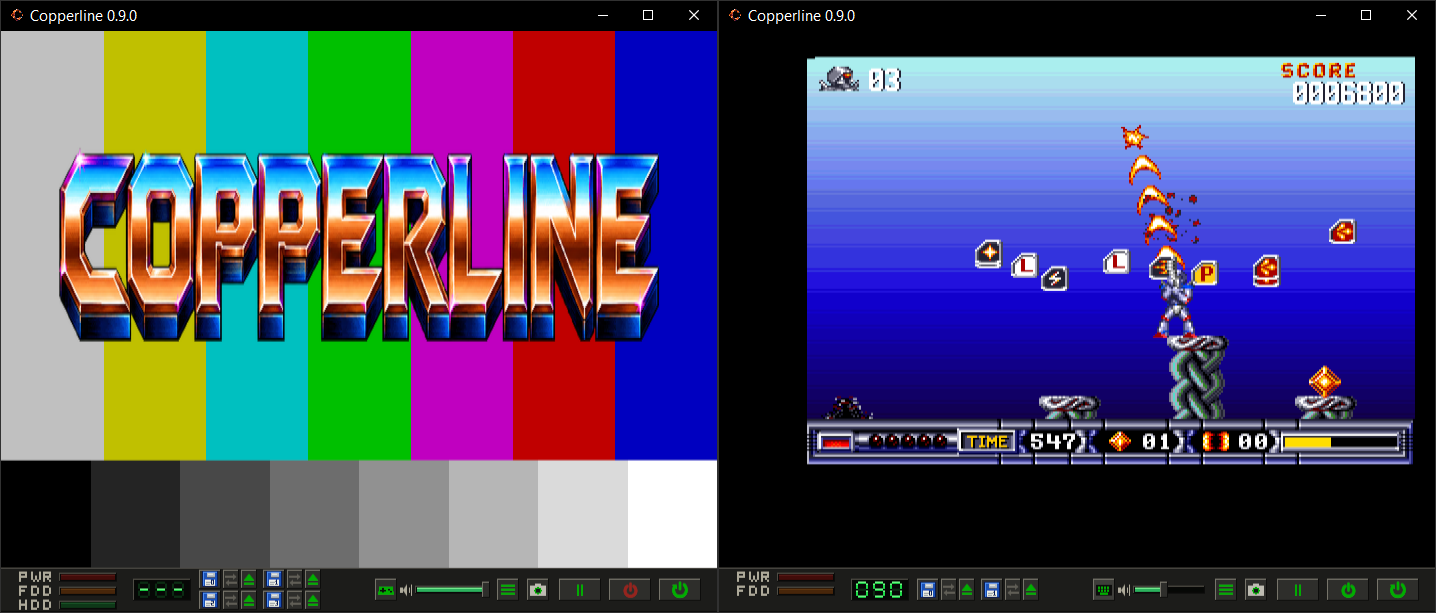
Copperline est un émulateur Amiga écrit entièrement en Rust. Il vise à reproduire fidèlement le fonctionnement du matériel d’origine, avec une émulation précise jusqu’au niveau des cycles d’horloge (cycle-accurate). Son architecture modulaire facilite le développement et permet d’émuler les principaux composants de la machine, comme le CPU, le Copper, le Blitter, Paula et les CIA.


Télécharger Copperline v0.18.0 (43.0 Mo)

Site Officiel

En savoir plus…

Les builds 32 bits de MAME compatibles XP et compilés par StHiryu sont à présent disponibles.
 

A partir de la version 0.249, MESSUI n’est plus mis à jour, reste que la partie MESS de MAME est compilable mais sans l’interface particulière de MAMEUI.


Télécharger MAME (XP) v0.289 (64.6 Mo)

Télécharger MAME(MESS) [32 bits] v0.289 (42.5 Mo)

Télécharger MESSUI (32 bits) v0.288.4 (28.3 Mo)

Télécharger MAMEUI32 v0.289 (60.9 Mo)

Télécharger HBMame (32 bits) v0.289.1 (18.2 Mo)

Télécharger HBMame GUI (32 bits) v0.289.1 (18.4 Mo)

Télécharger ARCADE (32 bits) v0.289 (32.4 Mo)

Télécharger WolfMAME (32 bits) v0.289 (60.1 Mo)

Page Officielle


Les binaires de MESS 32 bits (et 64 bits) sont compilés par moi-même.
 

J’ajoute également le binaire de MAME version Arcade (64 bits ici), compilé par moi-même et compatible XP:

Télécharger MAME(Arcade) [32 bits] v0.289 (75.2 Mo)


Pour info, il s’agit certainement des derniers builds compatibles XP (mais pas 32 bits) suite à ce commit qui en limite l’accès, alors ce n’était probablement pas obligatoire du tout de limiter l’accès de l’OSD/Inputs à Vista (au vu du code) mais bon comme de toute façon les choses continueront à ce casser progressivement ca ne serait que prolonger l’échéance…échéance que je pourrai peut-être allonger en bricolant un truc (qui fonctionne pour l’instant avec le GIT en cours) mais pour combien de temps encore, je l’ignore…
 
Notez que DirectSound a été restauré, le son fonctionne donc de nouveau sous XP. N’oubliez pas de sélectionner cet API dans le fichier de config de MAME. Lire le readme.


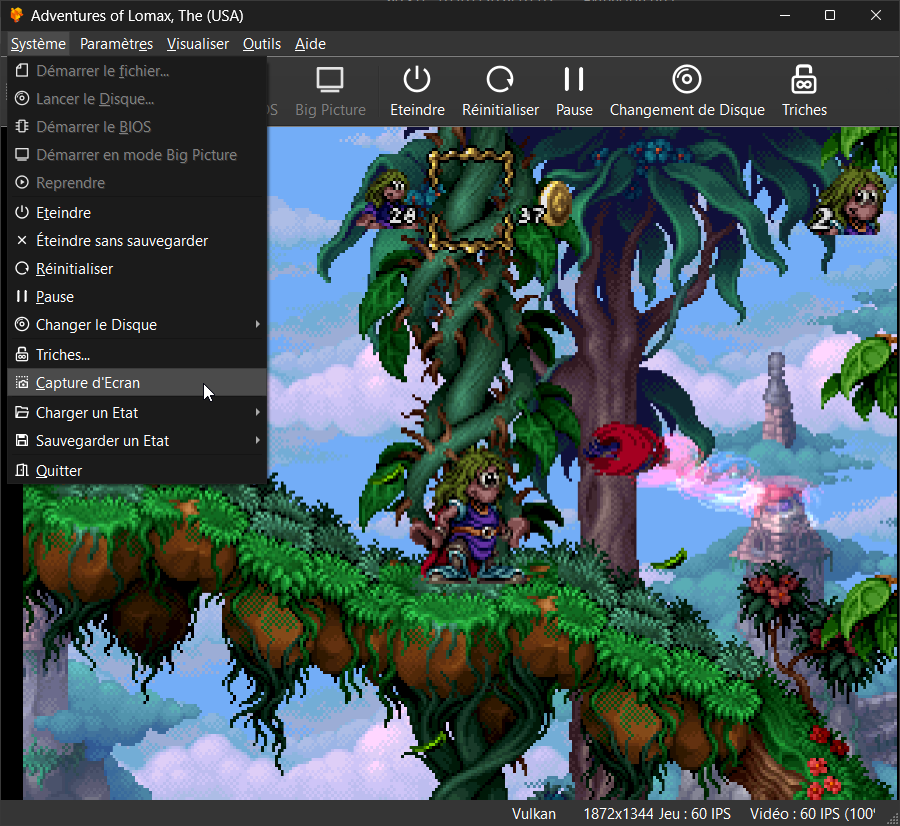
Il s’agit du meilleur émulateur de PlayStation One, devant ePSXe et pSX.


Caractéristiques:
– Recompilateur/JIT CPU (x86-64, armv7/AArch32, AArch64, RISC-V/RV64).
– Rendu matériel compatible avec les API D3D11, D3D12, OpenGL, Vulkan et Metal.
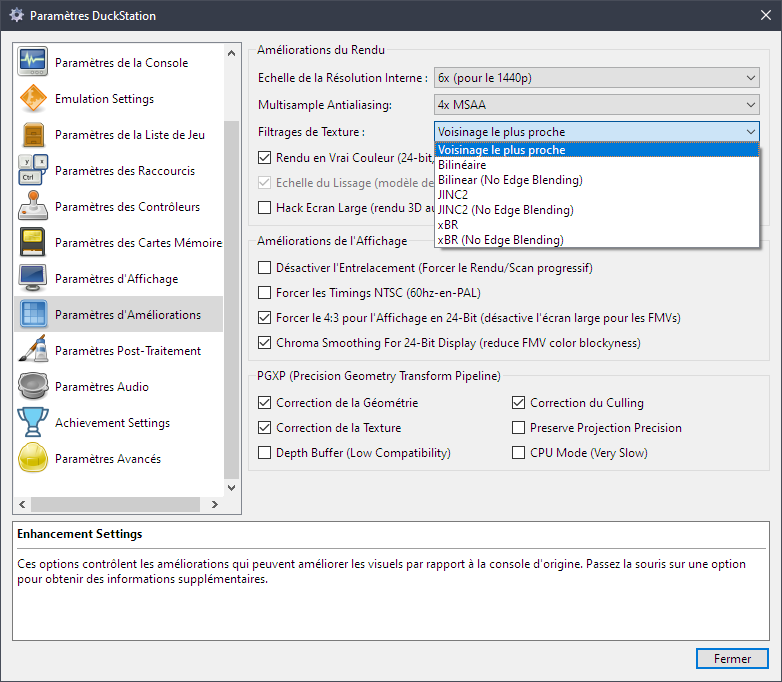
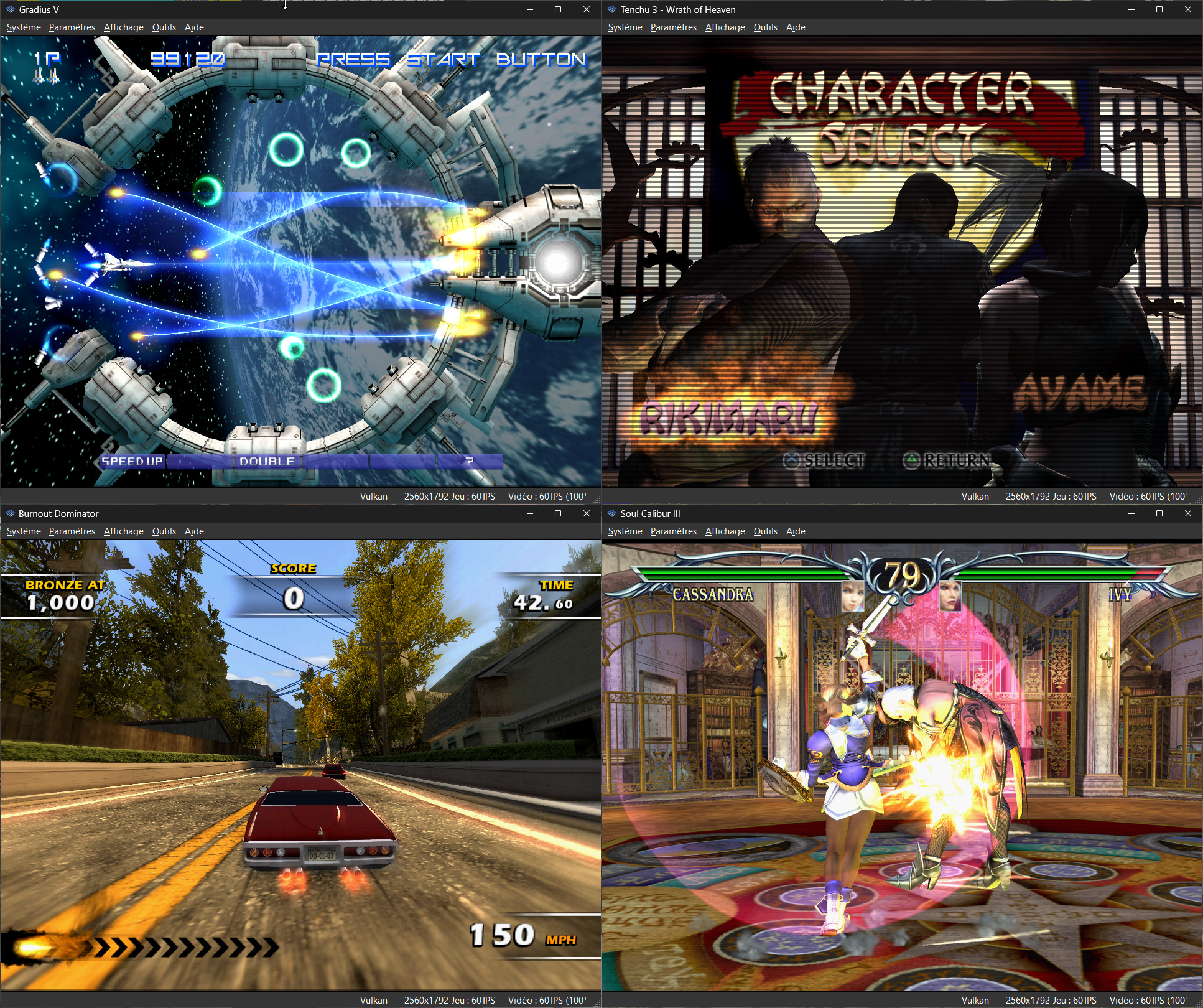
– Mise à l’échelle, filtrage des textures et couleurs vraies (24 bits) dans les moteurs de rendu matériels.
– PGXP pour la précision géométrique, la correction des textures et l’émulation du tampon de profondeur.
– Mélange précis via Rasterizer Order Views / Fragment Shader Interlock.
– Système de remplacement de textures dans les moteurs de rendu matériels.
– Rendu logiciel vectorisé et multi-threadé.
– Désentrelacement adaptatif au mouvement.
– Filtre de sous-échantillonnage adaptatif.
– Rotation d’écran pour les jeux de tir verticaux ou en mode « TATE ».
– Chaînes de shaders de post-traitement (GLSL, Reshade FX et préréglages Slang).
– Bordures décoratives affichées autour du contenu du jeu.
– « Démarrage rapide » pour ignorer l’intro du BIOS.
– Prise en charge des sauvegardes d’état, avec exécution anticipée et rembobinage.
– Compatible avec Windows, Linux et macOS.
– Lecture directe depuis CD, images bin/cue, fichiers bin/img bruts, MAME CHD, ECM à piste unique, MDS/MDF, CCD et formats PBP non chiffrés.
– Préchargement des images disque en RAM pour éviter les interruptions dues à la mise en veille du disque.
– Fusion des jeux multi-disques dans la liste/grille avec cartes mémoire partagées.
– Chargement/application automatique des patchs PPF.
– Démarrage direct des exécutables homebrew.
– Chargement direct des fichiers Portable Sound Format (psf).
– Audio étiré dans le temps lors de l’exécution hors de la vitesse 100 %.
– Prise en charge des manettes numériques et analogiques (le retour de force est transmis à l’hôte).
– Support des pistolets GunCon et Justifier (simulés à la souris).
– Support de la manette NeGcon.
– Préréglages de manette et configuration par jeu.
– Interface utilisateur Qt et mode « Big Picture ».
– Mises à jour automatiques avec canaux preview et stable.
– Analyse automatique du contenu — titres/hachages fournis par redump.org.
– Commutation automatique optionnelle des cartes mémoire par jeu.
– Prise en charge des cheats à partir de listes existantes.
– Éditeur de carte mémoire et importateur de sauvegardes.
– Overclocking CPU émulé.
– Débogage intégré et à distance.
– Support des manettes multitap (jusqu’à 8 appareils).
– Intégration RetroAchievements.
– Présence enrichie Discord.
– Capture vidéo via Media Foundation (Windows) et FFmpeg (toutes plateformes).
– Fonction de caméra libre.
– Émulation de cartouches via port parallèle.

 
Configuration requise:
– Windows 10/11 (7/8/8.1 ici), Linux (AppImage/Flatpak), macOS.
– Un CPU plus rapide qu’une patate. Mais il doit être x86_64, AArch32/armv7, AArch64/ARMv8 ou RISC-V/RV64.
– Un GPU capable de OpenGL 3.1 / OpenGL ES 3.1 / Direct3D 11 niveau de fonctionnalité 10.0 / Vulkan 1.0. Donc, en gros, n’importe quoi fabriqué au cours des 10 dernières années.
– Une manette compatible SDL, XInput ou DInput (par exemple XB360/XBOne/XBSeries). Les utilisateurs de DualShock 3 sous Windows devront installer les pilotes officiels DualShock 3 inclus dans PlayStation Now.


Les améliorations sont:
 
Preview Build:
– Fix prerotation handling with blur/transitions (Stenzek)


Stable Build (or rolling release):
– Cheats: Fix importing semi-broken files
– Qt: Fix some machine translation errors
– Qt: Fix incorrect highlight in memory viewer
– Qt: Add missing icons to cheat import popup
– FullscreenUI: Add on-screen keyboard
– FullscreenUI: Fix initial input not activating on some popup dialogs
– FullscreenUI: Add missing PS icon for D-Pad
– ImGuiManager: Remove Host::BeginTextInput()
– Achivements: Add rich presence monitor debug setting
– FullscreenUI: Increase padding on value backgrounds
– System: Fix initial capture mode on start
– FullscreenUI: Render loading screen with separate draw list
– System: Improve game setting reload workflow
– System: Persist settings interface objects
– Qt: Fix window title when editing game specific controller config
– PageFaultHandler: Set SA_NODEFER on MacOS as well
– PageFaultHandler: Determine write flag from ESR on MacOS ARM64
– CPU: Ensure RAM code pages are invalidated on core thread
– CPU/CodeCache: Assert that handlers execute on core thread
– PageFaultHandler: Remove the exception handler mutex
– FullscreenUI: Fix compiler warning
– Qt: Update machine translations
– GameDB: Sentou Kokka – Air Land Battle
– CDROM: Reduce pause-while-paused delay
– dep/rcheevos: Bump to f1417fb
– ImGuiOverlays: Clear list on save state selector close
– GPUDevice: Don’t immediately trim textures queued in same frame
– ImGuiOverlays: Add animation to save state selector
– ImGuiOverlays: Close save state selector on device switch
– GameDB: Add HASH for Beyond the Beyond (#3782)
– Bus: Fix CPE parsing when dev logging is disabled
– LRUCache: Fix m_manual_evict not respected when adding
– LRUCache: Add custom deleter override
– FullscreenUI: Remove shared_ptr usage
– Misc: Use relative time when displaying timestamps
– GameDB: Add hashes for multiple games (#3784)
– Qt: Improve Italian translation (#3783)
– dep/rcheevos: Replace usage of sscanf() in rc_json_get_datetime()
– Qt: Update Italian translation again (#3785)
– Achievements: Use title format in submit time tooltip
– System: Ensure achievements game is identified before loading state
– Atualização Português do Brasil (#3787)
– GPU/TextureCache: Fix CPU thread read on GPU thread
– GPU/TextureCache: Fix last_vram_write and num_splits not being serialized
– GPU/TextureCache: Limit the amount of uploads saved to state
– System: Reserve state memory for texture cache when enabled
– GameDB: Felony 11-79/Runabout
– MediaCapture: Show file size in OSD
– Host: Fix broken relative time plurals
– Host: Merge FullscreenUI relative time variant with Host
– Qt: Add translation update and cleanup scripts
– CI: Ensure translations are cleaned on pull request
– dep/rcheevos: Add rc_client_set_unofficial_achievement_unlock_state()
– SQLiteHelpers: Add BindInt64()/ColumnInt64()
– FullscreenUI: Permit empty footer array component
– Achievements: Track unlocks of unofficial achievements locally
– PageFaultHandler: Read ESR on Linux ARM64 as well
– Data: Update SDL game controller database
– Qt: Clarify RetroAchievements login message
– Qt: Use variadic arg() instead of chaining multiple invocations
– Qt: Group toolbar-related menu items into a submenu (#3789)
– Qt: Update machine translations
– Update duckstation-qt_es.ts (#3786)
– Tests: Fix util-tests building
– MemoryCardImage: Replace full-width characters with ASCII
– CDImageMDS: Fix games not detecting due to empty path
– FullscreenUI: Fix inverted parameters
– CDImage: Replace filename identifier with path
– Spanish (Spain) translation update 2026/08/25 (#3790)
– Update Italian translation (#3791)
– Qt: Fix localised disc regions in game list
– FullscreenUI: Fix cheats menu hotkey in batch mode
– Qt: Enable verification for unscanned files
– ImGuiManager: Tweak OSD fade in time


Télécharger DuckStation v0.1 build 11XXX (68.0 Mo)

Site Officiel

En savoir plus…

Hades est un émulateur de Nintendo GameBoy Advance en cours de développement, il vise à atteindre un équilibre satisfaisant entre convivialité, vitesse et précision.


Actuellement, Hades présente les caractéristiques suivantes:
 

– Une précision décente
– Correction des couleurs
– Sauvegarde rapide (également connue sous le nom de Save State)
– Support de l’horloge en temps réel (RTC)
– Support des contrôleurs de jeu
 

C’est le troisième émulateur à passer les benchs de la cartouche AGS Aging Cartridge utilisée pour tester les systèmes Game Boy Advance.
 

Les nouveautés:
 
– Fix the accuracy suite.
– Fix the GitHub action CI on MacOS, Windows x64 and Windows ARM64.
– Fix the `reset` debugger command.
– Misc fixes


Télécharger Hades v1.1.1 Build 260830 (4.8 Mo)

Site Officiel

En savoir plus…

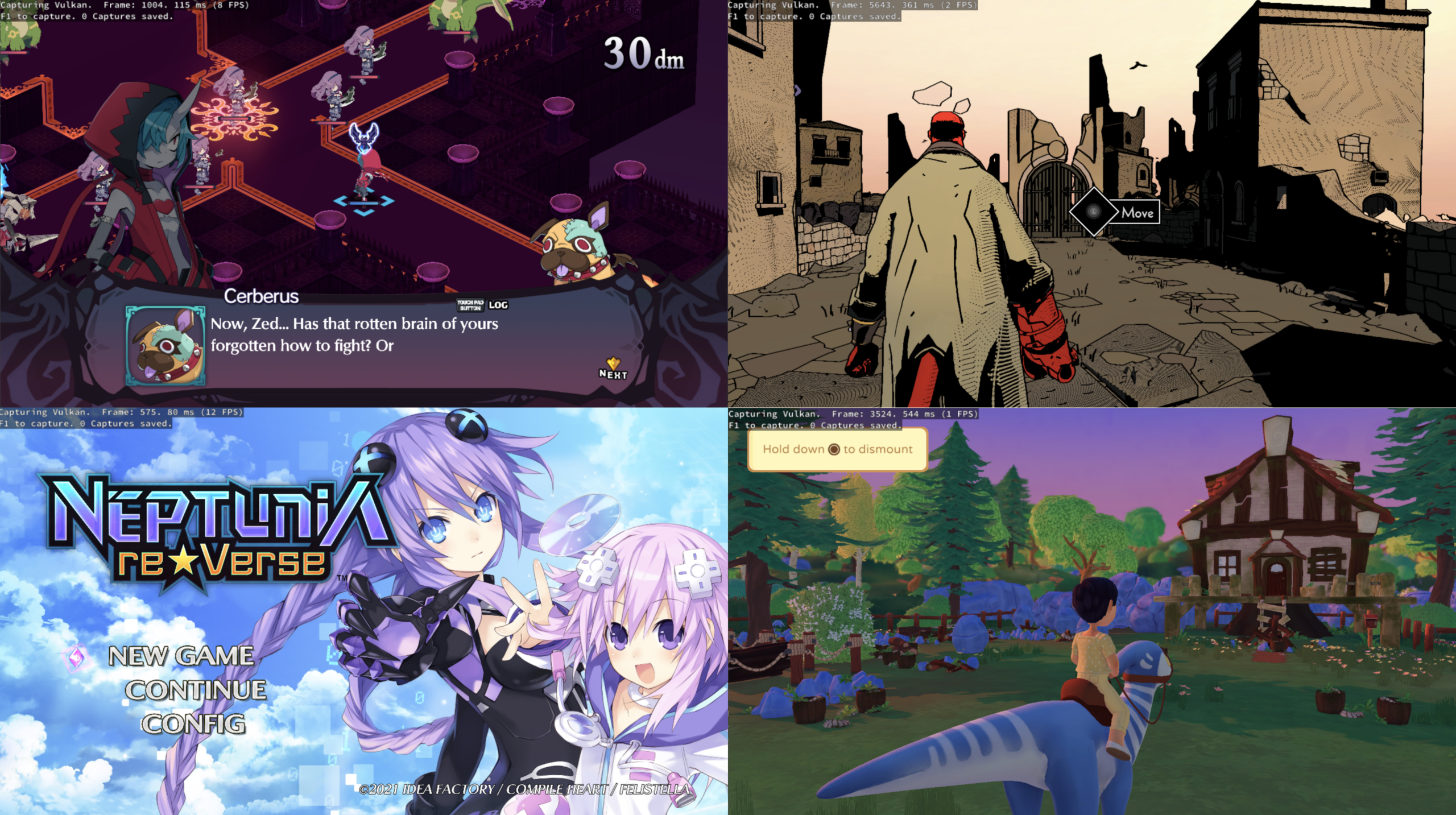
Nouvelle version de cet émulateur de Playstation 2, celle-ci n’est compatible qu’à partir de Windows 10.


Un rapport des améliorations avec illustrations, est visible ici.
 
Le détails ci-dessous:
 

- GS/HW: Only expand overlaps on page boundaries (refractionpcsx2)
- GS/HW: Fix draw offsets in shuffles (refractionpcsx2)
- Qt: Remove unneeded BPM handling code (SternXD)
- GSRunner: Remove noops that aren't needed (SternXD)
- Tests: remove stubs that aren't needed (SternXD)
- FullscreenUI: Implement cover download support (SternXD)
- GameList: Create covers directory if missing before downloading covers (SternXD)
- Qt: Fix game list view toggle with an empty game list (Adso Castro)
- Qt/ImGui: Add clipboard support and fix modfier keys (SternXD)
- Qt/ImGui: Use macOS keyboard behaviors (SternXD)
- Qt: Show multitap slot names in controller binding titles (Adso Castro)
- Qt: Remove translator comments from controller binding titles (Adso Castro)
- Qt: Use multitap slot names for the first slot too (Adso Castro)
- Qt: Add blank lines around the macro window title block (Adso Castro)
- GameDB: Various fixes (wxvu)
- [ci skip] PAD: Update to latest controller database. (PCSX2 Bot)
- [ci skip] Qt: Update Base Translation. (PCSX2 Bot)
- GS/DX11: Reuse frame buffer optimizations for uav/rov. (lightningterror)
- GS/DX11: Fallback to regular OMSetRenderTargets if no uav are active. (lightningterror)
- GS/DX11: Destroy uav resources. (lightningterror)
- ImGuiOverlays: Add missing space to draw buffering (JordanTheToaster)
- GameDB: Dragon Quest VIII fixes (JordanTheToaster)
- GHActions: Report flathub cronjob errors to discord (Ty)
- Revert "GS/GL: Discard stencil when not in use while using depth." (lightningterror)
- GS/GL: Add basic clip control fallback. (lightningterror)
- [ci skip] Qt: Update Base Translation. (PCSX2 Bot)
- GS/DX11/GL: Fix sample area calculation for RT/DS sampling hazard. (TJnotJT)
- GS/DX11: Expand the fb optimization hit detection. (lightningterror)
- GS/GL: Expand the fb optimization hit detection. (lightningterror)
- 3rdparty: Update D3D12MA to v3.2.0 (TheLastRar)
- GS/DX12: Enable tight alignment (TheLastRar)
- Common/Emitter: Inline xMovRtoR into xImpl_Mov operator (SternXD)
- FullscreenUI: Correct default label for Division Rounding Mode (SternXD)
- FullscreenUI: Move Achievement page/login to settings file (SternXD)
- FullscreenUI: Add some missing settings from Qt (SternXD)
- FullscreenUI: Fix volume sliders to match Qts max 200% (SternXD)
- FullscreenUI: Add analog control (jasaaved)
- FullscreenUI: Remove diagonal navigation (jasaaved)
- FullscreenUI: Fix analog stick input bursting (jasaaved)
- FullscreenUI: Add analog navigation for Xinput and Dinput (jasaaved)
- FullscreenUI: Fix analog/dpad nav state shared across controllers (jasaaved)
- FullscreenUI: Cleanup formatting (jasaaved)
- FullscreenUI: Fix analog requiring neutral position to reset (jasaaved)
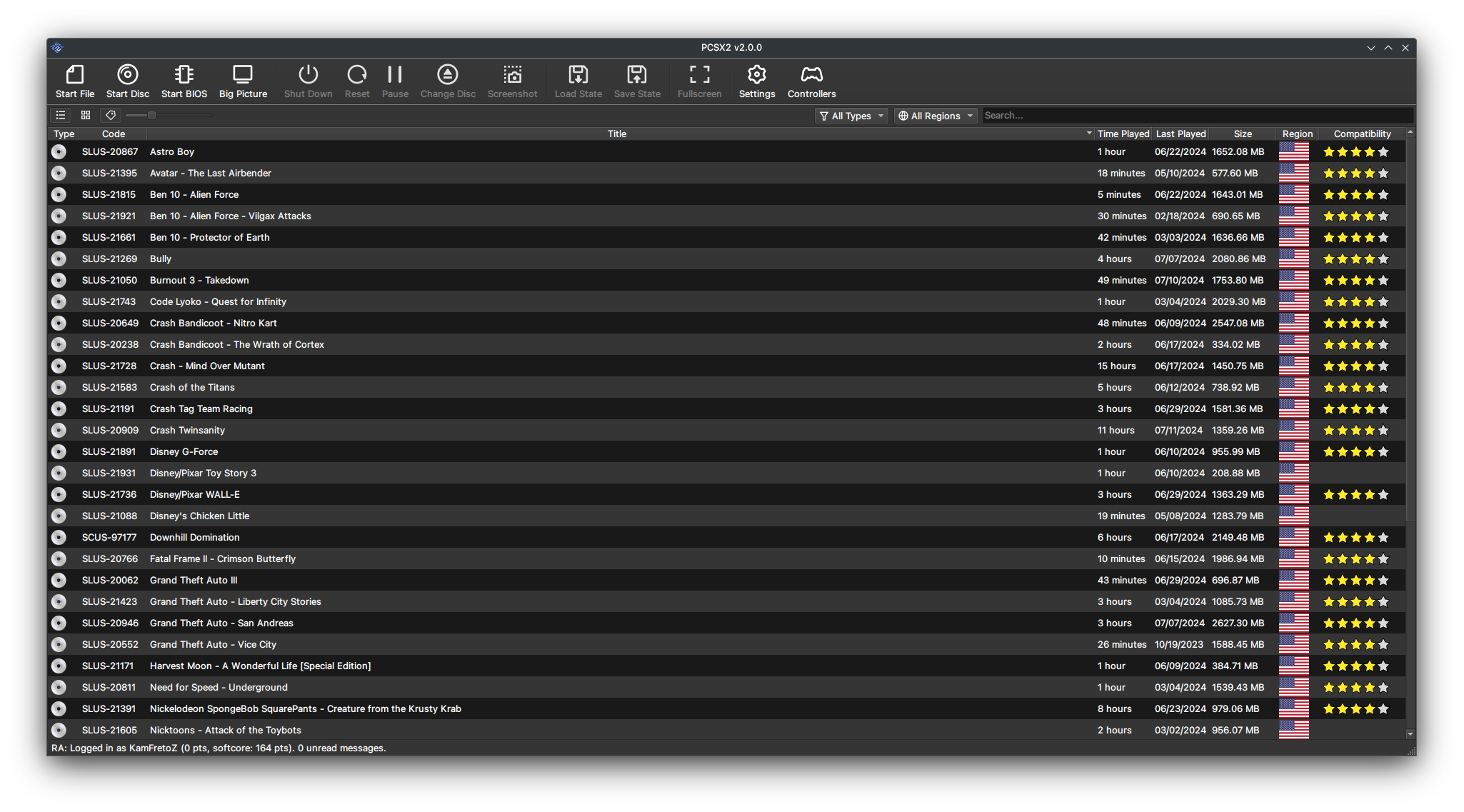
- Qt: Revamp the status bar (KamFretoZ)
- Qt: Fix Status Bar visibility when Languange Changes (KamFretoZ)
- Achievements: Simplify sound effects playback (KamFretoZ)
- Qt/Shortcut: Use Nearest-Neighbor scaling for icon preview (KamFretoZ)
- Qt/OSD: Fix GPU stats not updating when Show GPU Usage settings arent enabled (KamFretoZ)
- Qt: Fix Formatting (KamFretoZ)
- Achievements: Group leaderboards by subset and tracking state (SternXD)
- Misc: clean up COM code (Oleg Tolmatcev)
- [ci skip] Qt: Update Base Translation. (PCSX2 Bot)
- Qt: Disable VK Rov barrier toggle on other renderers. (lightningterror)
- QT/FSUI: Set ROV default off and move the settings to Graphics>Rendering. (TJnotJT)
- OSD: Include "Show GPU Debug Info" when using the "De/Select All" buttons (Bobby Smith)
- [ci skip] PAD: Update to latest controller database. (PCSX2 Bot)
- [ci skip] Qt: Update Base Translation. (PCSX2 Bot)
- Memory: Fix typo in SysMemory::DumpMemoryMap (chaoticgd)
- FullscreenUI: Fix controller navigation breaking after Big Picture Mode window resized (jasaaved)
- GS/HW: Adjust line AA1 blur with upscaling. (TJnotJT)
- GS/GL: Fix recent aa1 shader regressions. (lightningterror)
- Bump actions/checkout in the ci-deps group across 1 directory (dependabot[bot])
- [ci skip] PAD: Update to latest controller database. (PCSX2 Bot)
- GS/DX12: Remove unnecessary UAV state and simplify texture unbinding. (TJnotJT)
- GS/TC: Use ValidOverlaps check for exact Tex is RT matches (refractionpcsx2)
- GS/HW: DATE setup changes. (lightningterror)
- GS/DX11: Backport ds as rt from GL for depth feedback. (lightningterror)
- Qt/GameListBackground: Auto adjust gamelist text color (KamFretoZ)
- Qt/GameListBackground: Auto adjust gamelist type icon color (KamFretoZ)
- Qt/GameListBackground: Make highlight semi-transparent (KamFretoZ)
- Qt/GameListBackground: Small fixes (KamFretoZ)
- Qt/GameListBackground: Make focus detection less agressive (KamFretoZ)
- Qt/GameListBackground: Dont keep re-encoding frames (KamFretoZ)
- Qt: Add sorting to memory card list (SternXD)
- [ci skip] Qt: Update Base Translation. (PCSX2 Bot)
- GS/DX11/DX12: Report ROV support in log (JordanTheToaster)
- ImGuiOverlay: Add ROV to GPU status (JordanTheToaster)
- GameDB: Add AAT rec to the DB (JordanTheToaster)
- GameDB: Add AA1 rec to the DB (JordanTheToaster)
- GameDB: Various fixes (JordanTheToaster)
- GameSummary: Redirect to redump.info (JordanTheToaster)
- GS/HW: Fix bbox when using aa1. (lightningterror)
- [ci skip] Qt: Update Base Translation. (PCSX2 Bot)
- IR5900: DUMP_BLOCKS: Symbolize text ptr relative (Ziemas)
- IR3000A: DUMP_BLOCKS: Symbolize text ptr relative (Ziemas)
- IR5900: fix recMemcheck to not cache loaded reg (Ziemas)
- IR5900: Use SmallString with Zydis formatter (Ziemas)
- IR3000A: Use SmallString with Zydis formatter (Ziemas)
- Debugger: Fix some uninitialized variables (chaoticgd)
- AudioStream: Don't compare uninitialized padding (chaoticgd)
- Qt: show full game titles in grid mode. (Devloon)
- GS/HW: Use CreateCompatible() in texture cache to propagate correct formats. (TJnotJT)
- GS: Change GSTexture::Type to GSTexture::Usage (TJnotJT)
- GS/HW: ROV revisions. (TJnotJT)
- GS/HW: ROV activation revisions. (TJnotJT)
- GS/VK: Detect max supported framebuffer dimensions for null framebuffer. (TJnotJT)
- GS/DX12: Fix DX12 renderpass restart optimization rebase error. (TJnotJT)
- GS/HW: Change prefer_unused_texture parameter to prefer_reuse in GSDevice::FetchSurface(). (TJnotJT)
- GS: Add GPU pipeline stats to OSD. (TJnotJT)
- GameDB: Various fixes (wxvu)
- GS/HW: Tweak AF shader (TheLastRar)
- GS: Update target TEX0 on a move if buffer width is increased. (TJnotJT)
- VTLB: Rewrite vtlb_ramRead function template (chaoticgd)
- PINE: Disallow access to pages with custom VTLB handlers (chaoticgd)
- [ci skip] Qt: Update Base Translation. (PCSX2 Bot)
- [ci skip] PAD: Update to latest controller database. (PCSX2 Bot)
- GameDB: Various Gran Turismo fixes (JordanTheToaster)
- GS/DX12: Expand the fb optimization hit detection. (lightningterror)
- GS/HW: Better handle some texture creation hazards. (lightningterror)
- GS/HW: Improve ROV discard behavior. (TJnotJT)
- GS/HW: Force depth ROV if alpha test needs depth feedback. (TJnotJT)
- Achievements: Rename softcore to Casual (Mrlinkwii)
- Misc: another COM code cleanup (Oleg Tolmatcev)
- GameDB: remove gamefixes from silent hill 3 (Mrlinkwii)
- [ci skip] Qt: Update Base Translation. (PCSX2 Bot)
- GS: Better handle imgui texture creation hazards. (lightningterror)
- Deps: Update SDL3 to v3.4.12 (JordanTheToaster)
- GameDB: Various fixes (raid273)
- GameDB: Remove cpuSpriteRender from Mana-Khemia (raid273)
- GS:MTL: Fix texture flags (TellowKrinkle)
- GS:MTL: Reduce unneccessary texture rebinds (TellowKrinkle)
- GS:MTL: GPU ROV feature detection (TellowKrinkle)
- GS:MTL: Implement ROV (TellowKrinkle)
- GS:MTL: Add ROV support for RW Textures Tier 1 hardware (TellowKrinkle)
- FullscreenUI: Move game info and cover art to top left of pause menu (SternXD)
- FullscreenUI: Use locale time on landing page instead of 24 hour (SternXD)
- Achievements: Improve subset sidebar nav/focus behavior (SternXD)
- Debugger: Allow strings to be edited from the symbol trees (chaoticgd)
- [ci skip] Qt: Update Base Translation. (PCSX2 Bot)
- GS/DX12: Make sure null texture has correct descriptor type for slot. (TJnotJT)
- GS:DX12: Index pipelines in correct shader cache table. (TJnotJT)
- QT: Remove ROV tabstop in graphics advanced section. (TJnotJT)
- 3rdparty: Update CPUInfo to commit b1a5d63 (JordanTheToaster)
- Deps: Update libjpegturbo to 3.2.0 (JordanTheToaster)
- 3rdparty: Update Vulkan-Headers to v1.4.356 (JordanTheToaster)
- GS: Fix Compiler warnings. (lightningterror)
- YAML: Add support for resolving anchors, and use it for GameDB (Silent)
- GameDB: Update Gran Turismo entries to use anchors and overrides (Silent)
- Deps: Revert workaround for MSVC ICE with PlutoVG (TheLastRar)
- GS/HW: Make all vertices the same color in certain flat shading cases. (TJnotJT)
- Qt: Decouple CreateShortcut from the ShortcutCreationDialog (KamFretoZ)
- Qt: Add Create PCSX2 shortcut option to setup wizard (KamFretoZ)
- Qt/Launcher: Fix StartupWMClass Value (KamFretoZ)
- Qt: Clean up Setup Wizard's labels (KamFretoZ)
- [ci skip] Qt: Update Base Translation. (PCSX2 Bot)
- common: Fix build on ryml < 0.11 (TellowKrinkle)
- Deps/gha: Bump the ci-deps group across 1 directory with 2 updates (#14644) (dependabot[bot])
- GS/DX: Fix typo with primid init output. (TJnotJT)
- GS:DX:VK: Always make null texture with UAV usage. (TJnotJT)
- GS: Move readback image dump to Transfer Images parameter from Save RT (refractionpcsx2)
- [ci skip] GitIgnore: Ignore Kate project files (RedPanda4552)
- GS: Bump shader cache version. (lightningterror)
- GS/HW: Adjust shuffle predetect for only texture formats under 32bit (refractionpcsx2)
- [ci skip] Qt: Update Base Translation. (PCSX2 Bot)
- USB: Add GunCon 2 values for the Japanese versions of Time Crisis II (Bobby Smith)
- Pad: Fix enum entries check (Tundrak)
- Debugger: Improve layout editor dialog (chaoticgd)
- GS/OGL: Increase padding to fill ProgramSelector size (TheLastRar)
- Debugger: Improve menu item sorting (chaoticgd)
- Debugger: Add navigation history with back and forward buttons (chaoticgd)
- [ci skip] Qt: Update Base Translation. (PCSX2 Bot)
- GS/TC: Only bilinear resize depth if downscaled (refractionpcsx2)
- GS:HW: Fix regression with prefer_reuse texture fetching flag. (TJnotJT)
- GS/TC: Don't clear valid flags if render target is only partially cleared (refractionpcsx2)
- GS: Make size macros const expressions (refractionpcsx2)
- GS/HW: Improve clears when half is zero + alter mismatched DHC lookup (refractionpcsx2)
- GS/TC: Improve handling of different format overlap in preload (refractionpcsx2)
- GS/TC: Invalidate rgb + alpha on contained target swizzle mismatch (refractionpcsx2)
- USB: Copy Virtua Cop offsets to Re-Birth JP version (RedPanda4552)
- [ci skip] Qt: Update Base Translation. (PCSX2 Bot)
- Qt: Silence warning when opening log window (chaoticgd)
- FullscreenUI: Fix nav loss after logging in to RA (SternXD)
- GS:HW: Fix ROV texture type conversion for temporary Z. (TJnotJT)
- ImGui: Fix cut off legend in save state overlay (SternXD)
- GS: Add special case CSM2 read for Breath of Fire Dragon Quarter (refractionpcsx2)
- GameDB: Patch The Gift to fix sound RPC (Ziemas)
- GameDB: Crazy Frog Racer fixes (JordanTheToaster)
- GS: Reduce draw buffer copying (refractionpcsx2)
- GS: Replace a bunch of pointer logic in hot paths (refractionpcsx2)
- GS: Optimize draw buffering pointer logic and some small tweaks (refractionpcsx2)
- [ci skip] Qt: Update Base Translation. (PCSX2 Bot)
- AudioStream: Work around uninitialized read in cubeb (chaoticgd)
- ImGuiOverlays: Hide Debug and ROV status in SW (JordanTheToaster)
- [ci skip] Qt: Update Base Translation. (PCSX2 Bot)
- Core: Fix -Wsign-compare warning in R3000A Interpreter (Briella Bugs)
- [ci skip] PAD: Update to latest controller database. (PCSX2 Bot)
- 3rdparty: Update LZMA/7zipSDK to 26.02 (JordanTheToaster)
- Qt: Fix Optimal Frame Pacing not inheriting from global (SternXD)
- FullscreenUI: Expose missing settings (SternXD)
- FullscreenUI: Align setting names with Qt (SternXD)
- FullscreenUI: Align Achievements settings layout with Qt (SternXD)
- Qt: Fix incorrect setting keys (SternXD)
- FullscreenUI: Fix icon layout in toast notifications (SternXD)
- FullscreenUI: Add icons to all ShowToasts (SternXD)
- [ci skip] Qt: Update Base Translation. (PCSX2 Bot)
- GS:HW: Add feedback flags for VK depth stencil creation. (TJnotJT)
- Deps: Update KDDockWidgets to v2.4.1 (chaoticgd)
- Deps: Work around libjpeg-turbo build issue (chaoticgd)
- 3rdparty: Update rcheevos to v12.4.0 (SternXD)
- 3rdparty: Configure D3D12MemAlloc to use DirectX-Headers under CMake (TheLastRar)
- FSUI: Add gamelist hotkey to scan for new games (KamFretoZ)
- FSUI: Add Fallback to CPU Name OSD (KamFretoZ)
- Qt: Decrease File Size Limit for Custom Backgroudn Cache (KamFretoZ)
- GS/TC: If preloaded image matches target parameters, update valid area (refractionpcsx2)
- GS/TC: Only adjust target start on full pages (refractionpcsx2)
- [ci skip] AGENTS.md: init (GovanifY)
- [ci skip] Deps/gha: Update CI deps (#14769) (dependabot[bot])
- GS:MTL: Fix PipelineSelectorMTL padding (TellowKrinkle)
- [ci skip] Qt: Update Base Translation. (PCSX2 Bot)
- [ci skip] PAD: Update to latest controller database. (PCSX2 Bot)
- FullscreenUI: Close menus on resume, hide OSD while open (SternXD)
- Qt: Fix logic for resetting the VM when changing discs (chaoticgd)
- GS/VK: Fix crash when no device is created and vk is the selected renderer. (lightningterror)
- GameDB: add missing games and memcardFilters (Mrlinkwii)
- GameDB: Add missing tex in rt for some GITS regions. (lightningterror)
- [ci skip] Qt: Update Base Translation. (PCSX2 Bot)
- Qt: Remove m_pending_window* (TellowKrinkle)
- MicroVU: Unjumble EATAN coefficients (chaoticgd)
- FullscreenUI: Fix game list appearing empty after exiting and re-entering (jasaaved)
- [ci skip] Qt: Update Base Translation. (PCSX2 Bot)
- GS:HW: Only enable GPU timing/stats in backend if the option is enabled. (TJnotJT)
- GS:DX11: Fix typo in query destruction. (TJnotJT)
- GS/VK: Remove undefined unused shader macro. (lightningterror)
- GS/VK: Workaround Nvidia issue when swapping ROV targets (TheLastRar)
- GS/DX11: Fix uav null_texture usage. (lightningterror)
- Input: Fix menu navigation incorrectly using per-profile bindings (jasaaved)
- Input: Fix Xinput controller icon and layout detection (jasaaved)
- Input/FullscreenUI: Fix SDL unknown-controller icon fallback and add missing Standard/Xbox/Nintendo button name tables (jasaaved)
- Input/FullscreenUI: Add Generic controller glyph style (jasaaved)
- [ci skip] Qt: Update Base Translation. (PCSX2 Bot)
- [ci skip] PAD: Update to latest controller database. (PCSX2 Bot)
- GS: Fix status bar GPU % when OSD GPU usage is off (SternXD)
- GS:VK: Only use feedback loop layout for depth if texture barrier is supported. (TJnotJT)
- [ci skip] Qt: Update Base Translation. (PCSX2 Bot)
- GS: Use current primitive mode for backing up spare vert buffers (refractionpcsx2)
- GS: Improve vertex copy over to new buffer + small tweaks (refractionpcsx2)
- GS: Fix Lines2Sprites buffer growth (TellowKrinkle)
- GS: Fix Vertex Buffer Growth (TellowKrinkle)
- GS: Fix unused variable warning. (lightningterror)
- [ci skip] PAD: Update to latest controller database. (PCSX2 Bot)
- EE/IOP: Fix loading elf's through relative path (Ziemas)
- GS/TC: Improve single pixel overlap detection in RT in RT (refractionpcsx2)
- GS/HW: Avoid detecting shuffles as source of truth for target format (refractionpcsx2)
- GameDB: Add Prioritize Lower depth fix to Steambot Chronicles (refractionpcsx2)
- Qt/macOS: Keep Fullscreen on the main window (SternXD)
- [ci skip] Qt: Update Base Translation. (PCSX2 Bot)
- SPU2: Pass IOP cycle count at 64bit (refractionpcsx2)
- Translations: Sync Crowdin translations for 2.8 (Ty)
- [ci skip] PAD: Update to latest controller database. (PCSX2 Bot)
- translations: Syncing Crowdin translations (#14879) (Ty)


Un tutorial est disponible ici et un pack de shaders (probablement incompatible avec les versions 2.0 et supérieur). Pack de textures ici et , et Patchs disponibles ici (écran large, correction de bugs, fréquence d’images, etc).
 
Et si vous voulez davantage d'effets graphiques, un site expliquant comment customiser l'émulateur avec Reshade et autre shaders, est disponible ici.
 
NB: Notez que la version 64 bits est à présent la seule version stable possible. Il est également recommandé de tout reconfigurer car les changements sont trop nombreux entre la précédente version et celle-ci.
 
Site de développement du projet.

Télécharger PCSX2 (32 bits | XP/Vista) v1.4.0 / v1.6.0 (14.8 Mo)

Télécharger PCSX2 (32 bits | 7/8/8.1) v1.6.0 (6.2 Mo)

Télécharger PCSX2 (64 bits) v2.8.0 (24.5 Mo)

Site Officiel

En savoir plus...


Casino-en-ligne-fiable.com

https://getourbonus.com/fr/accueil

https://www.romspedia.com/

https://www.casinoonlinefrancais.fr

Lucky 7 bonus

https://www.casinogratuitsansdepot.com

pablocasino.org

critiquejeu.info

casinodoc.org

laplanquedujoueur.com

casinoonlinefrancais
Listing de toutes les actualités , Page numéro 58 - Emu-France

Les modules sont des fichiers relativement petits qui contiennent divers échantillons sonores et des informations sur la manière dont ils doivent être joués. Cette façon de faire de la musique remonte à loin, et même à l’époque du Commodore 64, le concept était utilisé. Mais c’est sur l’ordinateur Amiga que tout a vraiment commencé.
Les types originaux de modules ont été créés avec un programme appelé SoundTracker, mais depuis lors, de nombreux types de modules différents sont apparus, tous offrant des fonctionnalités différentes (plus de canaux sonores, plus d’échantillons, un écho en temps réel, etc).
 
NostalgicPlayer est un programme capable de lire ces modules. NostalgicPlayer est une version Windows d’APlayer, qui a été lancée sur l’ordinateur Amiga en 1993, puis continué sur BeOS, et était une réaction au manque de bons lecteurs de modules pour l’Amiga.


NostalgicPlayer est écrit en C# et est open source. Le code source sur Github est ici.
 

Télécharger NostalgicPlayer v3.4.1 (14.8 Mo)

Site Officiel

En savoir plus…

Il s’agit de la dernière version officielle dite « instable » de Snes9x ajoutant les dernières nouveautés, améliorations et/ou corrections en provenance des sources GIT. Versions 32 et 64 bits dans l’archive.
 

Une petite partie de Starfox 2 (SNES Mini Edition) ?


…ou peut-être un Secret of Mana Français iOS Edition ?


Laissez tomber, je vais me faire la suite non officielle de Chrono Trigger plutôt :p


Les changements depuis le dernier build:
 
– Fix RPIX Clearing DREG Too Early
– Misc fixes


Télécharger Snes9x TestBuild v1.63.1630 (7.9 Mo)

Site Officiel

En savoir plus…

AmiArcadia est le port amélioré de Tunix2001 ex ‘Win Arcadia 2001’ (par Gavin Turner) pour Amiga. Ecrit par James Jacobs et Gavin Turner, cette version est en fait le port Windows du port Amiga (un backport) !


Systèmes émulés:
 
Consoles:
– Famille Emerson Arcadia 2001 : Bandai, Emerson, Grandstand, Hanimex, Intervision, Leisure-Vision, Leonardo, MPT-03, Ormatu, Palladium, Poppy, Robdajet, Rowtron, Tele-Fever, Tempest, Tryom, Tunix, etc.
– Interton VC 4000 et compatibles : Acetronic, Cabel, Fountain, Hanimex, Interton, Prinztronic, Radofin, Rowtron, Voltmace, Waddingtons…
– Elektor TV Games Computer (1979)
 
Machines PIPBUG/BINBUG:
– Electronics Australia 77up2/78up5, Signetics Adaptable Board Computer, Eurocard 2650…
– Signetics Instructor 50 (1978)
– Signetics TWIN (1976)
– Central Data 2650 (1977)
– PHUNSY microcomputer (c.1980)
– Ravensburger Selbstbaucomputer / 2650 Minimal Computer (1984)
– Hofacker MIKIT 2650 (1978)
 
Machines d’arcade:
– Coin-ops Zaccaria : Astro Wars, Galaxia, Laser Battle, Lazarian
– Coin-ops Kitronix : Malzak 1 & 2
 
Jeux électroniques:
– Consoles Pong AY-3-8500/8550/8600:
– Coleco Telstar Galaxy, Sheen TVG-201, et autres systèmes AY‑3‑85xx
 
Machine éducative électronique:
– VTech Type-Right (1985)
 

Il nécessite Windows 9x/ME/NT/2000/XP et fonctionne également sous Vista/8/10/11.


Télécharger Win Arcadia (Ami Arcadia) v36.62 (8.7 Mo)

Site Officiel

Pegasus est une interface graphique pour permet de parcourir votre bibliothèque de jeux et de lancer toutes sortes d’émulateurs via un même endroit. Il se concentre sur la personnalisation, la prise en charge multiplateformes et les hautes performances.


– Updated the localizations
– Fixed Quit button text
– Misc fixes


Télécharger Pegasus Frontend Alpha 16 r99 (14.9 Mo)

Site Officiel

En savoir plus…

pfeMame (écrit par Gareth Finch) est un frontend pour MAME, écrit en Python. Il est multiplateforme (testé sur Linux – Ubuntu et Windows). Il comprend également une interface graphique destinée aux MameCab qui permet le contrôle à l’aide de joystick / manette.
 
pfemame_main
 

Télécharger pfeMame (32 bits) v3.7.2 (117 Mo)

Télécharger pfeMame (64 bits) v1.008 (12.5 Mo)

Site Officiel

En savoir plus…

Un service centralisé de gestion de bibliothèque/collection de jeux, axé sur l’émulation. Configurez une fois, jouez n’importe où.


Télécharger Retrom v0.8.4 (18.4 Mo)

Site Officiel

En savoir plus…

shadPS4 est un émulateur PlayStation 4 open-source. Depuis la version 0.12.1, il abandonne son interface graphique intégrée pour fonctionner uniquement en ligne de commande.
 
Pour faciliter son usage, une interface externe est disponible. Elle permet de lancer des jeux, configurer les options, et suivre les performances via une interface visuelle simple et intuitive.
 

Cette interface est développée séparément et reste compatible avec les futures versions de shadPS4.


Les changements:
– Fix different issues in the user manager UI (#383)
– I may be blind (no PR because it’s trivial)
– Do not run CI again for every prerelease (#382)
– New Crowdin updates
– Misc fixes


Télécharger ShadPS4 (GUI) v350 (26.3 Mo)

Site Officiel

En savoir plus…

Il s’agit d’un émulateur de Tandy TRS80 Model 1,2,3,4,12,16,6000,MC-10,DT-1 et Videotex.


Ancien site pour archive.

Télécharger TRS80gp v2.5.7 (24.0 Mo)

Site Officiel

En savoir plus…

Créé par Avery Lee (l’auteur de VirtualDub), il s’agit d’un émulateur d’Atari 8 bits (800/800XL/130XE) disponible en 32 et 64 bits. Il dispose de beaucoup d’options ainsi que d’une bonne compatibilité. Il prend en charge les jeux protégés conformément à l’émulation. Il s’agit d’une version de développement au stade de béta.


Topic des versions Beta.

Télécharger Altirra (Beta) v4.50 Test 18 (7.7 Mo)

Site Officiel

En savoir plus…

Xemu est une application multiplateforme et open source qui émule le matériel de la console de jeu Xbox d’origine, permettant aux utilisateurs de jouer à leurs jeux Xbox sur les systèmes Windows, macOS et Linux.


Ce projet est une branche active du projet XQEMU, qui est lui même basé sur le projet QEMU qui est populaire et très activement maintenu.
 
A noter qu’une collection personnelle de patchs graphiques IPS/BPS pour jeux Xbox, offrant divers hacks (16:9, 720p, 480p, 60 FPS), avec des options haute résolution (mais parfois instables) sont disponibles ici.


A noter que la version 32 bits n’est pas officielle (réalisée par Lo v2).
 
Quelques informations d’ordres générales concernant les modifications:
 
Pull Requests
– ci: Update Windows build toolchain image SHA (@mborgerson)
– ubuntu-win64-cross: Bump mxe, GCC toolchain (@mborgerson)
– Enable x86-64-v3 optimizations for release builds (@mborgerson)
– Bump SDL3 subproject to 3.4.10 (@mborgerson)
– hw/xbox: Clean up use of assert(false) (@Reedzit)
– ui: Account for pixel density and display scaling (@mborgerson)
– ui: Set SDL_HINT_VIDEO_DRIVER to wayland,x11 (@mborgerson)
 
Issues Fixed
– build.sh should not hardcode IvyBridge target for macOS x86-64 builds
– Enable additional architectural optimizations in release
– Misc fixes


Télécharger Xemu v0.8.136 (8.9 Mo)

Télécharger Xemu (x86) (2020/06/12) (6.2 Mo)

Télécharger Xemu (Debug) v0.8.136 (9.3 Mo)

Site Officiel

En savoir plus…

3Beans est un émulateur expérimental de la Nintendo 3DS. Il fonctionne à bas niveau en exécutant directement le système de la console comme s’il tournait sur le vrai matériel. Tout est interprété et rendu par logiciel, ce qui le rend portable mais assez lent. L’auteur prévoit d’ajouter plus tard l’accélération matérielle pour améliorer la vitesse.
 
Le projet est encore en développement : certains jeux commerciaux commencent à être jouables, mais les titres numériques ne le sont pas encore, et le menu principal n’est pas totalement fonctionnel. 3Beans est disponible sur Windows, macOS et Linux, avec des versions publiées automatiquement sur GitHub.
 
Pour l’utiliser, il faut extraire depuis une vraie 3DS les fichiers boot9.bin, boot11.bin et nand.bin. Un fichier sd.img peut être créé pour simuler une carte SD, et les ROMs doivent être dumpées en version chiffrée. Une fois ces fichiers présents, l’émulateur se comporte comme la console d’origine, avec des contrôles configurables et une option de démarrage automatique des cartouches.


Télécharger 3Beans (2026/08/06) (4.1 Mo)

Site Officiel

En savoir plus…

Gecko est un émulateur et débogueur multiplateforme moderne de Nintendo GameCube et Wii, entièrement développé en langage Rust.


Conçu par un développeur solo sans l’objectif de concurrencer l’incontournable Dolphin, ce projet est encore en cours de développement et peut présenter des incompatibilités selon les jeux.
Techniquement, il utilise un recompilateur à la volée basé sur Cranelift et s’appuie sur l’API moderne WGPU pour son rendu graphique, ce qui lui permet également d’être compilé en WebAssembly pour tourner directement dans un navigateur web.
 
En plus de lire les formats ISO, RVZ ou ZIP et de gérer les sauvegardes Wii, il se distingue par des outils très poussés pour le reverse engineering, incluant une interface de débogage élégante en egui, le support de scripts Lua et une boîte à outils pour analyser le code et les fichiers des jeux.


Changelog / Grandes lignes
 
✨ Nouvelles fonctionnalités
– Ajout d’un launcher UI (interface graphique) très demandé par les utilisateurs.
– Amélioration importante de l’expérience utilisateur globale.
– Support Wii simplifié : plus besoin de fournir un NAND manuellement.
 
🎮 Compatibilité des jeux
– Prise en charge d’un très grand nombre de nouveaux jeux.
– Beaucoup de titres fonctionnent désormais sans artefacts visuels.
– Environ 50 % de la bibliothèque est jouable avec seulement de légers problèmes graphiques.
 
🛠️ Outils de développement et débogage
– Ajout de nombreuses fonctionnalités de débogage.
– Nouveau GX FIFO Player & Debugger permettant d’analyser et rejouer les commandes graphiques.
– Cet outil a permis d’identifier et corriger un bug de z-texturing dans le jeu Super Mario Galaxy.
 
📈 État du projet
– Le projet a beaucoup progressé grâce aux retours positifs de la communauté.
– Les efforts récents se sont concentrés à la fois sur les utilisateurs finaux et les outils destinés aux développeurs.
 
🎥 Démonstration
– Une vidéo montre comment Super Mario Galaxy pré-rend certaines scènes futures en arrière-plan de la scène actuelle.


Télécharger Gecko PR 1 (2026/07/21) (37.5 Mo)

Site Officiel

En savoir plus…


Casino-en-ligne-fiable.com

https://getourbonus.com/fr/accueil

https://www.romspedia.com/

https://www.casinoonlinefrancais.fr

Lucky 7 bonus

https://www.casinogratuitsansdepot.com

pablocasino.org

critiquejeu.info

casinodoc.org

laplanquedujoueur.com

casinoonlinefrancais